
Are Auto Clickers Safe? A Complete Guide to Using Automation Tools Securely
Let’s be real—whenever you download a tool to handle the 'grunt work' for you, there’s always that little voice asking: Is this actually safe? Whether you’re trying to dominate a click-heavy game like Cookie Clicker, snag a deal in a flash sale, or automate a soul-crushing data entry task, you don’t want to trade your digital security for a bit of convenience.
So, are auto clickers safe?
The short answer is yes, but with a big asterisk. The software itself is usually harmless, but where you get it and how you use it makes all the difference. In this guide, we’re going to look at the real risks—from malware to account bans—and how to stay protected in 2026.
---
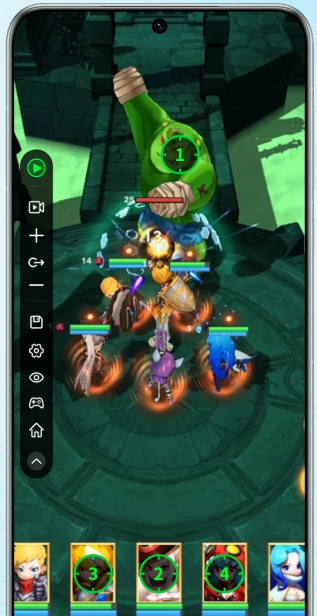
To understand the safety side, you need to know what an auto clicker actually does. It’s essentially a script that tells your OS to send a 'tap' or 'click' command to a specific spot on your screen. It’s not 'hacking' the game or modifying deep system files; it’s just mimicking your touch. Because it’s so simple, it’s a favorite for both helpful developers and less-than-helpful scammers.
---
When we talk about 'safety,' we’re usually worried about three things: your data, your account, and your device’s performance.
Adware: Which hijacks your browser with endless pop-ups.
Spyware: Which tries to log your activity to steal passwords.
Ransomware: The nightmare scenario where your files get locked until you pay up.
Pro Tip: If a site makes you fill out a survey or download a 'manager' just to get a small file, close the tab. Stick to official app stores or well-known developer sites.
---
How do you tell a 'good' tool from a 'bad' one? Look for these signs:
---
Ready to set things up? Follow these steps to keep your device and your accounts clean:
---
So, are auto clickers safe? If you use common sense and get your tools from reputable sources, they are perfectly safe and incredibly useful. The danger isn't in the clicking; it’s in the download. Stick to well-known names, keep your security software on, and never leave your clicker running unattended for too long. Work smarter, play harder, and stay safe out there!
So, are auto clickers safe?
The short answer is yes, but with a big asterisk. The software itself is usually harmless, but where you get it and how you use it makes all the difference. In this guide, we’re going to look at the real risks—from malware to account bans—and how to stay protected in 2026.
---
What’s Happening Under the Hood?
To understand the safety side, you need to know what an auto clicker actually does. It’s essentially a script that tells your OS to send a 'tap' or 'click' command to a specific spot on your screen. It’s not 'hacking' the game or modifying deep system files; it’s just mimicking your touch. Because it’s so simple, it’s a favorite for both helpful developers and less-than-helpful scammers.
---
The Three Big Risks You Need to Know
When we talk about 'safety,' we’re usually worried about three things: your data, your account, and your device’s performance.
1. The Malware Trap
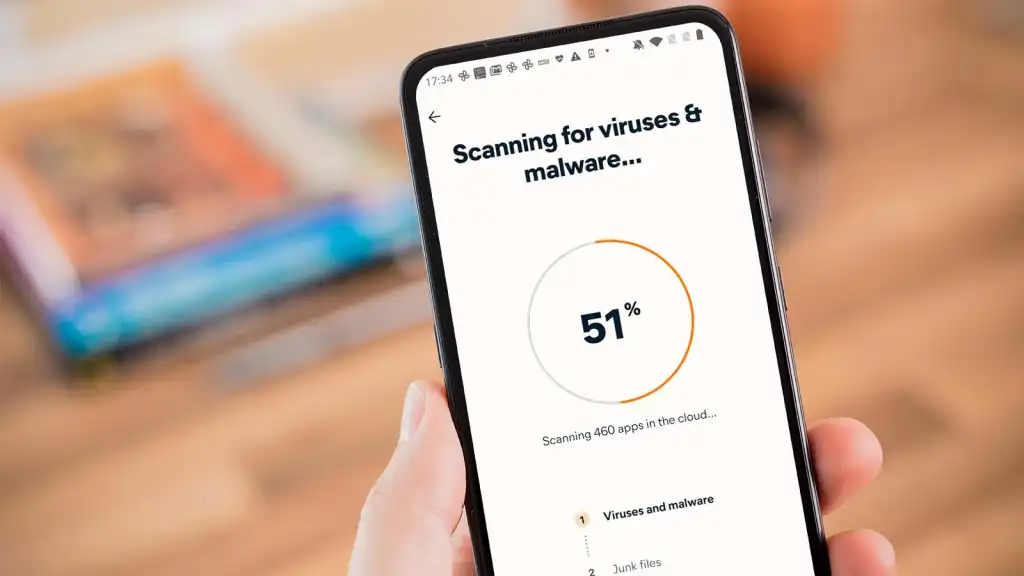
Since auto clickers are small executable files or apps, they are the perfect 'Trojan Horse.' Shady download sites often wrap a legitimate clicker inside a bundle of nasty stuff like:Pro Tip: If a site makes you fill out a survey or download a 'manager' just to get a small file, close the tab. Stick to official app stores or well-known developer sites.
2. The 'Ban Hammer'
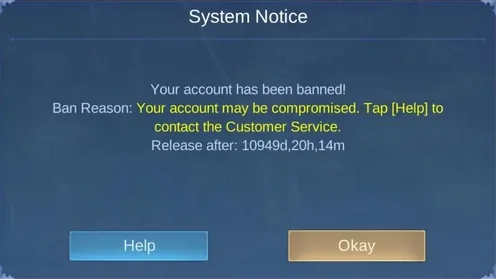
If you're using this for gaming, the risk isn't always a virus—it’s getting banned. Modern anti-cheat systems are incredibly good at spotting 'perfect' behavior. If you’re clicking exactly every 10.00ms for three hours, you’re going to get flagged. To the game, that’s a bot, and bots get banned.3. System Stability
Badly coded tools can hog your CPU or RAM, making your game lag or, worse, making your device impossible to control once the clicking starts. You want something lightweight like Auto Clicker - Automatic Tap that doesn't feel like it's dragging your system down.---
How to Spot a 'Legit' Tool
How do you tell a 'good' tool from a 'bad' one? Look for these signs:
Community Reputation
Check places like Reddit or app review sections. If a tool has been around for years and has a solid following, it’s usually a safe bet. Stay away from brand-new apps that popped up yesterday with zero reviews or history.Minimal Permissions
A clicker needs to control your screen. It does not need access to your contacts, your camera, or your private files. If a simple tapping tool asks for weird permissions, hit delete.---
Step-by-Step: Staying Safe While Automating
Ready to set things up? Follow these steps to keep your device and your accounts clean:
Step 1: Check the Source
Verify you are downloading the actual app from a reputable source. Scammers often create 'mirror' sites or fake app listings that look identical to the real ones but host infected versions.Step 2: Add Human Randomness
To avoid game bans, never use a static interval. If you want 10 clicks per second, set the interval to a range (like 95ms to 108ms). Tools like Auto Clicker - Automatic Tap often have this 'jitter' feature built-in to make your tapping look like a human thumb and less like a machine.Step 3: Set an Emergency Stop
Always make sure your stop triggers are set before you start. You need a quick way to stop the clicking instantly if the tool glitches or starts clicking something it shouldn't.---
Final Verdict: Is It Worth It?
So, are auto clickers safe? If you use common sense and get your tools from reputable sources, they are perfectly safe and incredibly useful. The danger isn't in the clicking; it’s in the download. Stick to well-known names, keep your security software on, and never leave your clicker running unattended for too long. Work smarter, play harder, and stay safe out there!