Built for more than basic repeat-clicking
ZapTap combines no-root setup, gesture-style recording, multi-point control, long-session comfort, cloud-ready sharing, and flexible timing controls in one practical automation toolchain.
The first step to responsible automation is to download an efficient, free, and virus-free auto clicker from an official source.
ZapTap Auto Clicker helps you crush your enemies with ease.
 10M+Positive Reviews




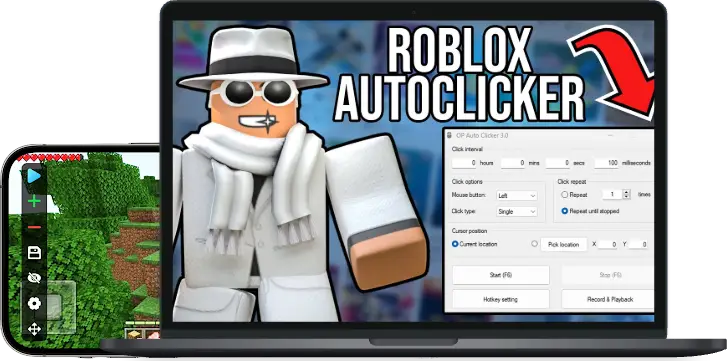


There are many auto clickers on the market, but they may damage your system. The software provided on our website is the latest virus-free
ZapTap Auto Clicker is a legitimate utility application, not a virus or unauthorized modification tool. You can use it with confidence. It simulates standard input actions, does not collect your privacy, and will not damage your phone or computer.

Many auto clickers handle simple desktop clicking well. ZapTap focuses on broader input workflows, touch-style actions, repeat timing, and setup portability for users who need more than a basic fixed-position loop.
ZapTap combines no-root setup, gesture-style recording, multi-point control, long-session comfort, cloud-ready sharing, and flexible timing controls in one practical automation toolchain.
Most competing auto clickers focus on straightforward hotkeys, repeated clicks, fixed-position clicking, and simple record-and-playback flows. That works for basic desktop loops, but it is a narrower fit for multi-step workflows.
| Decision point | ZapTap Auto Clicker | Other Auto Clickers |
|---|---|---|
| Touch-style controlUseful for mobile-style tapping, multi-point actions, and structured on-screen routines. | Broader action modelZapTap is positioned around touch automation, including multi-point control, slides, and gesture-like flows rather than only repeating a single mouse click. | Mouse-click centricMany alternatives still focus on click type, fixed click location, and mouse-button behavior for standard desktop clicking. |
| Multi-step workflowsImportant when a task needs more than repeating one fixed point forever. | Gesture-style motionZapTap’s feature set includes curve-style gesture recording and multi-step automation, which is better suited to richer repeatable routines. | Desktop replay firstMany alternatives offer record-and-playback, but they are often framed around replaying saved mouse movement and click paths on the same screen setup. |
| Long-session comfortRepeated input tasks can run for extended periods. | Designed for hands-free sessionsZapTap emphasizes long-running automation, auto-scroll style support, and reduced repetitive input fatigue. | Strong for quick desktop loopsThey are handy for fast start and stop control, but the workflow is still usually centered on desktop click repetition. |
| Policy-aware setupUsers should keep automation within each platform's rules and allowed use cases. | Adjustable timing controlsZapTap highlights configurable intervals, repeat limits, and user-controlled profiles for permitted automation scenarios. | Basic timing controlsMost alternatives provide simple intervals and hotkeys, but fewer workflow tools for organizing repeated tasks. |
| Sharing and setup portabilityHelpful if you switch devices or maintain different routines. | Better workflow mobilityZapTap’s feature set includes easy sharing plus cloud-sync-oriented script flow, making it easier to move successful setups between devices. | Usually limited to local setupOther tools often focus on local settings, hotkeys, and playback behavior instead of cross-device sync or convenient sharing. |
| Best-fit userThe fastest way to choose between them. | Best for users who want more controlChoose ZapTap if you want richer automation logic, mobile-style action patterns, and a broader toolbox for repetitive tasks. | Best for simple desktop clickingChoose other auto clickers if your job is mainly basic click repetition on a desktop PC and you do not need broader touch-style automation. |

No viruses or hidden payloads. ZapTap is designed for transparent, user-controlled automation and should be used only where automated input is allowed.

ZapTap Auto Clicker is lean and lightweight, with minimal CPU or memory impact. It adapts well to a wide range of devices.

ZapTap Auto Clicker supports millisecond-level timing so repeated actions can be configured consistently for testing and productivity workflows.
Click the download button at the top of the page to download the program that matches your device
Open the app, follow the instructions, and set your desired click target, click interval (in milliseconds, seconds, or minutes), repeat duration, and other parameters. Start automatic clicking with one click.

Customize click frequency from 1 to 1000 ms to fit different automation scenarios.
Switch between single, double, and triple clicks through the dropdown menu.
Enter a specific number of clicks, such as 10,000, to run a finite task or configure a timed event.
Enable interval jitter, such as +5–20 ms, to make the click rhythm feel more natural and reduce mechanical repetition.
Lock clicks to an exact screen position, with support for fixed coordinates or cursor-following mode.
Keep ZapTap Auto Clicker updated so your automation setup stays stable with current operating systems and app environments.
Auto clickers are general automation tools widely used for testing, data entry, form filling, and other repetitive workflows. Whether a specific platform allows automation depends on its own terms of service.
Before using any automation tool, read the target platform's rules, confirm that your use case is allowed, and use automation responsibly within permitted scenarios.
ZapTap Auto Clicker supports common automation needs:
1.Customizable click patterns (single/multi-point).
2.Random intervals for smoother timing variation.
3.Background operation for uninterrupted workflows.
4.No root required – works on any Android device.
Platform policies vary. Before using any automation tool, read the target platform's service terms and usage policies, confirm that your workflow complies with those rules, and keep automation within permitted use cases.
Choose tools from official sources or reputable developers, avoid modified installers, and make sure the software does not include malware, keyloggers, or hidden data collection.
ZapTap Auto Clicker focuses on transparent local automation, adjustable timing, and user-controlled workflows.

I use this for repeated app checks and long-running tap routines. The start/stop floating button is unobtrusive, the pause feature is instant, and the app even lets you save presets for different workflows.
RPG_Ranger

Strict timing in repeated app workflows? This Auto Clicker handles it consistently. Customizable single-tap or long-press modes help me complete timed actions with fewer manual mistakes, and the on-screen control widget is clean.
OneClickWiz
For any workflow with repetitive clicking, ZapTap helps you configure timing, positions, and repeat counts with less manual effort.
ZapTap Auto Clicker is virus-free, ad-free, and designed for transparent automation in permitted use cases.