
Are You Allowed to Use an Auto Clicker on Games? Rules, Risks, and Best Practices
Let’s be real—modern gaming can feel like a full-time job. Whether you're grinding for materials in an RPG or trying to stay active on a mobile server, the urge to automate those thousands of taps is strong. This leads to the ultimate million-dollar question: Are u allowed to use auto clicker on games?
The answer isn't a simple 'yes' or 'no.' It’s a massive gray area that depends on the game, the platform, and how 'human' your automation looks. In this 2026 guide, we’re breaking down the actual risks of getting banned and how to use these tools without losing your hard-earned progress.
Before we talk rules, let's clarify the tech. An auto clicker is a utility—like Auto Clicker - Automatic Tap—that mimics your touch on a mobile screen. You can set it to tap every millisecond or every few minutes.
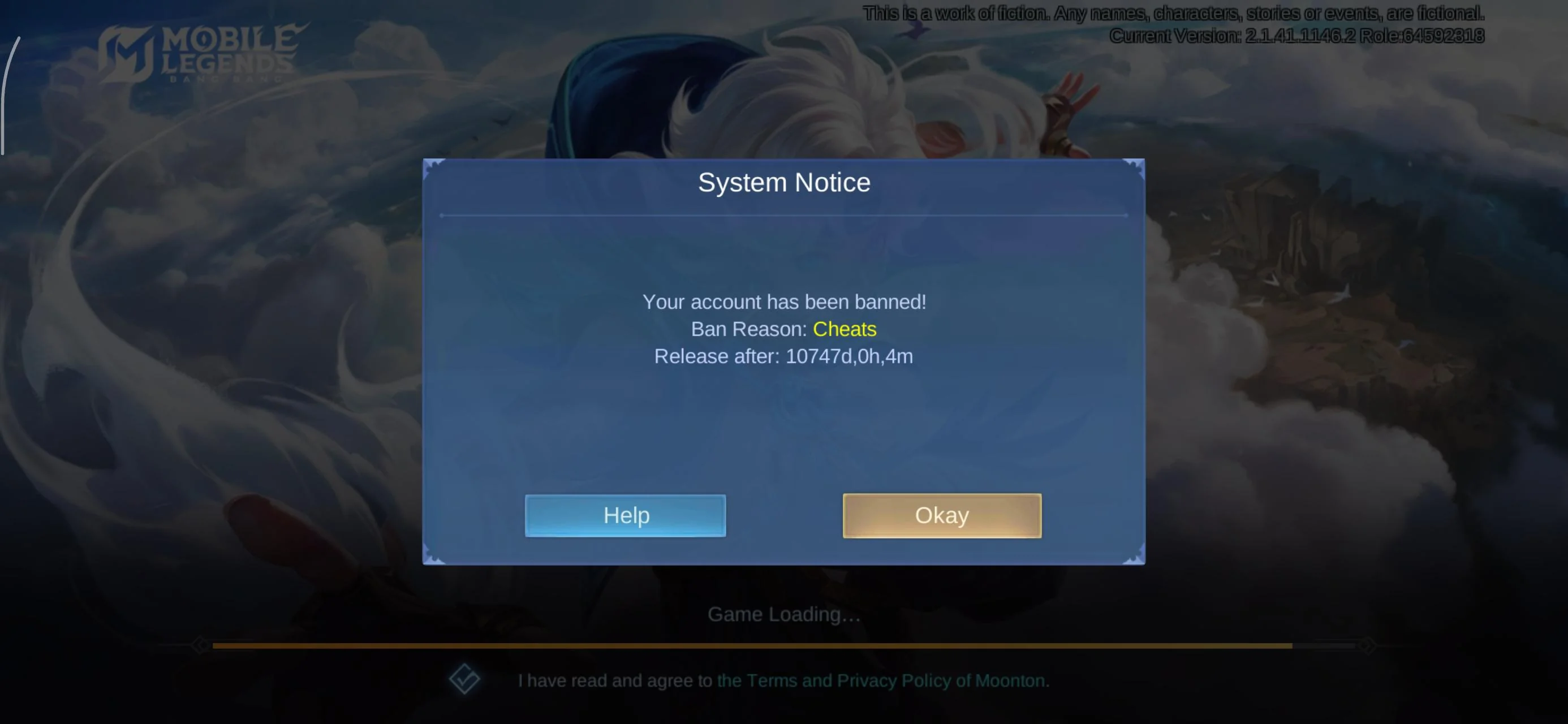
While some use them to 'cheat,' many players rely on them for accessibility or simply to avoid the literal physical pain (like Carpal Tunnel) that comes with 'click-heavy' mobile games.
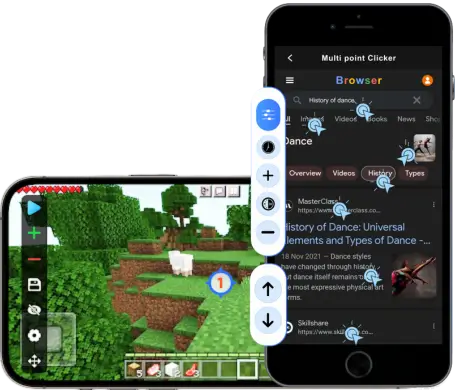
In most multiplayer games, the Terms of Service (ToS) strictly say no. Developers see automation as an 'unfair advantage' because a machine doesn't get tired and never misses a beat.
However, how these rules are actually enforced varies wildly across the gaming landscape:
It’s not just about 'fairness.' Developers cite three big reasons:Economic Collapse: If everyone farms 24/7, in-game currency becomes worthless (inflation).
Server Congestion: Automated accounts stay logged in for days, taking up space meant for active, human players.
Game Balance: Automation bypasses the 'time-gate' that developers use to keep players engaged over weeks instead of hours.
If you've decided the game you're playing is 'clicker-friendly' or you're willing to take the risk, follow these steps using Auto Clicker - Automatic Tap to minimize detection:
So, are u allowed to use auto clicker on games? Technically, usually no. But in the world of mobile simulators and idle games, it’s a widely accepted tool for those who want to skip the grind.
The key is to be smart. Use a reputable, lightweight app like Auto Clicker - Automatic Tap, always enable randomization, and respect the rules of the community. If a game is strictly competitive, keep it manual. If it’s a grind-fest, automate responsibly!
The answer isn't a simple 'yes' or 'no.' It’s a massive gray area that depends on the game, the platform, and how 'human' your automation looks. In this 2026 guide, we’re breaking down the actual risks of getting banned and how to use these tools without losing your hard-earned progress.
What Exactly is an Auto Clicker?
Before we talk rules, let's clarify the tech. An auto clicker is a utility—like Auto Clicker - Automatic Tap—that mimics your touch on a mobile screen. You can set it to tap every millisecond or every few minutes.
While some use them to 'cheat,' many players rely on them for accessibility or simply to avoid the literal physical pain (like Carpal Tunnel) that comes with 'click-heavy' mobile games.
The Short Answer: Is It Allowed?
In most multiplayer games, the Terms of Service (ToS) strictly say no. Developers see automation as an 'unfair advantage' because a machine doesn't get tired and never misses a beat.
However, how these rules are actually enforced varies wildly across the gaming landscape:
1. Single-Player & Offline Games
In your own private world, you're the boss. Since you aren't affecting other players or a competitive economy, developers almost never police auto clickers here. There’s virtually zero risk of a ban in an offline save file.2. Competitive Mobile Titles (MOBAs & Shooters)
In games where timing is everything, the answer is a hard no. Modern anti-cheat systems are incredibly good at spotting 'perfect' clicking. Using a clicker here is the fastest way to get your account permanently suspended.3. MMORPGs (The 'Botting' Zone)
Games with player-driven economies are the strictest. Using an auto clicker to farm gold or resources while you’re asleep is seen as a major offense. It devalues other players' work, and GMs (Game Masters) often perform 'bot checks' to catch players who aren't actually at their devices.4. Idle & Clicker Games
Ironically, in games built around clicking (like Clicker Heroes), the rules are much more relaxed. Many of these games even have official in-game auto clickers you can buy. However, using an external app might still get you disqualified from global leaderboards.Why Do Developers Hate Auto Clickers?
It’s not just about 'fairness.' Developers cite three big reasons:
How to Use an Auto Clicker Safely (The 2026 Strategy)
If you've decided the game you're playing is 'clicker-friendly' or you're willing to take the risk, follow these steps using Auto Clicker - Automatic Tap to minimize detection:
Step 1: Use 'Humanized' Randomization
Anti-cheat systems look for perfection. If you tap exactly every 100ms for three hours, you're a bot. Auto Clicker - Automatic Tap features a 'Random Interval' setting—use it! Setting a range (e.g., 90ms to 115ms) mimics the natural inconsistency of a human thumb.Step 2: Never Go Full AFK
The #1 way people get caught is failing a 'bot check.' Stay near your device. If a moderator whispers you or an 'I'm not a robot' prompt pops up, you need to be there to stop the clicker and respond.Step 3: Multi-Point Jitter
Don't tap the exact same pixel for hours. Use 'Target Jitter' to move the tap location slightly each time. This prevents 'heat-map' detection from flagging your account for inhuman precision.Step 4: Start on an Alt Account
Never test a new setup on your main account with years of progress. Use a secondary 'alt' account first to see if the game's security picks up the automation.Conclusion
So, are u allowed to use auto clicker on games? Technically, usually no. But in the world of mobile simulators and idle games, it’s a widely accepted tool for those who want to skip the grind.
The key is to be smart. Use a reputable, lightweight app like Auto Clicker - Automatic Tap, always enable randomization, and respect the rules of the community. If a game is strictly competitive, keep it manual. If it’s a grind-fest, automate responsibly!