
Can an Auto Clicker Damage My Mouse? The Technical Truth Behind Hardware Longevity
In the world of high-performance gaming and professional automation, our peripherals are our most valuable tools. If you've ever invested in a premium mouse, you've likely stared at that '50 Million Click' rating and wondered: Can a auto clicker damage my mouse?
While many fear the 'overworking' of their hardware, the reality of how a computer processes a click is far more interesting. In this 2026 deep dive, we’re moving past the basics to look at the electrical and mechanical science of mouse longevity.
---
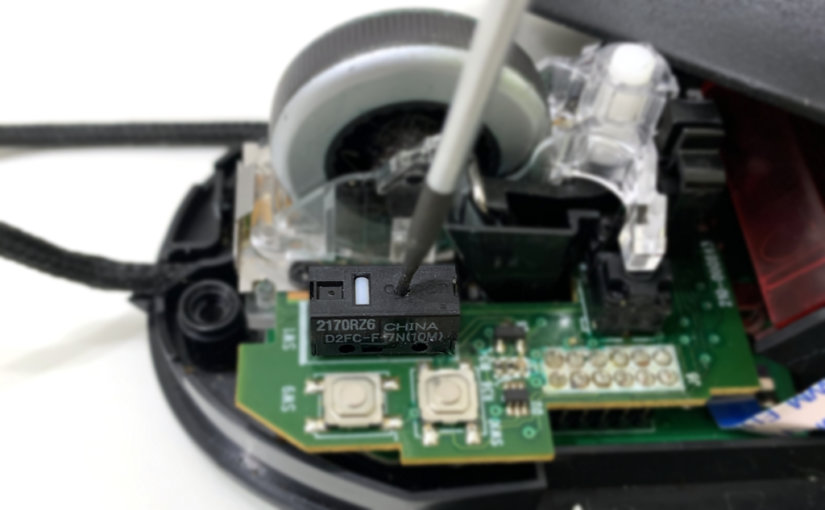
To understand why your mouse is (or isn't) at risk, we have to look at what happens when you interact with your PC. Every mouse click is essentially a bridge being closed in a circuit.
The verdict: Because the internal spring and plastic plunger never move during a software-simulated click, there is zero mechanical wear. In fact, using an auto clicker is like taking your mouse on a 'vacation' while the software does the heavy lifting.
---
A common technical concern is whether sending 1,000 clicks per second will 'fry' the mouse's internal PCB (Printed Circuit Board).
In 2026, even budget-friendly mice are designed to handle high polling rates (1000Hz to 8000Hz). A software-simulated click is just a tiny packet of data. Since there’s no physical friction and no extra voltage being pushed through the mouse's physical switches, no heat is generated within the hardware. The only thing working harder is your CPU, which has to process the incoming interrupts.
If you're still worried about durability, the type of switch in your mouse makes a huge difference in its theoretical lifespan:
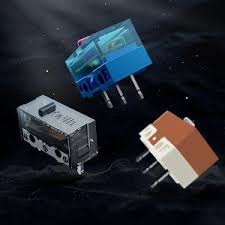
Mechanical Switches: Rely on physical metal-on-metal contact. These are the ones that eventually wear out from manual use.
Optical Switches: Use a beam of light to detect a click. . These are becoming the standard in 2026. Since they use light instead of physical contact, they are virtually immune to double-clicking and have even less to fear from high-speed use.
Regardless of your switch type, Auto Clicker - Automatic Tap remains the safest way to click, as it doesn't engage the physical mechanism at all.
---
If the hardware is safe, where is the risk? In 2026, the 'damage' has moved from the physical world to the digital one:
Can a auto clicker damage my mouse? Technically and physically, the answer is no.
By shifting the workload from mechanical parts to digital signals, you are actually preserving the 'click budget' of your expensive gaming hardware. Your mouse's leaf springs and plungers remain pristine, saved for the moments when you actually want to play manually.
To ensure total safety, stick to a lightweight, trusted app like Auto Clicker - Automatic Tap, keep your CPS (Clicks Per Second) within a realistic range, and enjoy the efficiency of 21st-century automation!
While many fear the 'overworking' of their hardware, the reality of how a computer processes a click is far more interesting. In this 2026 deep dive, we’re moving past the basics to look at the electrical and mechanical science of mouse longevity.
---
The Anatomy of a Click: Physical vs. Digital
To understand why your mouse is (or isn't) at risk, we have to look at what happens when you interact with your PC. Every mouse click is essentially a bridge being closed in a circuit.
1. The Physical Path (Manual Clicking)
When you press the button, a plastic plunger hits a small metal leaf spring inside a microswitch. This contact completes an electrical circuit, sending a signal to the controller. Over time, this physical impact causes mechanical fatigue. The metal can lose its 'snap,' or the contact points can oxidize, leading to the infamous 'double-click' issue.2. The Digital Path (Auto Clicker - Automatic Tap)
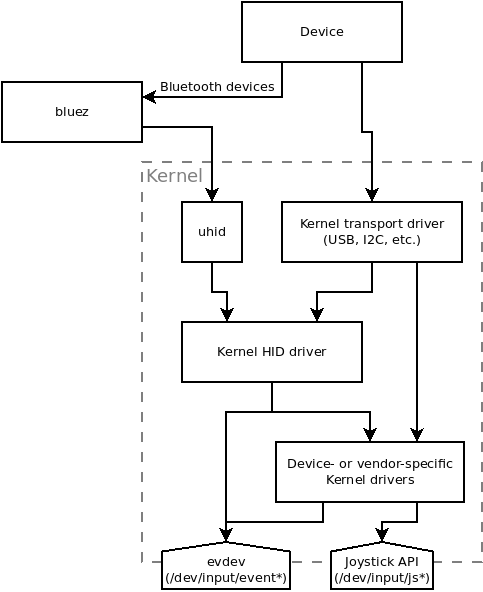
Using a professional utility like Auto Clicker - Automatic Tap bypasses this physical process entirely. Instead of moving the metal leaf spring, the software injects a 'HID (Human Interface Device) event' directly into the OS input stack.The verdict: Because the internal spring and plastic plunger never move during a software-simulated click, there is zero mechanical wear. In fact, using an auto clicker is like taking your mouse on a 'vacation' while the software does the heavy lifting.
---
Does High-Frequency Clicking Overheat the Mouse?
A common technical concern is whether sending 1,000 clicks per second will 'fry' the mouse's internal PCB (Printed Circuit Board).
In 2026, even budget-friendly mice are designed to handle high polling rates (1000Hz to 8000Hz). A software-simulated click is just a tiny packet of data. Since there’s no physical friction and no extra voltage being pushed through the mouse's physical switches, no heat is generated within the hardware. The only thing working harder is your CPU, which has to process the incoming interrupts.
Mechanical vs. Optical: Does Your Mouse Type Matter?
If you're still worried about durability, the type of switch in your mouse makes a huge difference in its theoretical lifespan:
Regardless of your switch type, Auto Clicker - Automatic Tap remains the safest way to click, as it doesn't engage the physical mechanism at all.
---
The Real 'Damage' to Watch Out For
If the hardware is safe, where is the risk? In 2026, the 'damage' has moved from the physical world to the digital one:
1. OS Input Lag
If you set your clicker to an unrealistic speed (like 0.1ms), you can overwhelm the Windows or Android input buffer. This won't break your mouse, but it can cause your cursor to 'freeze' or your system to become unresponsive until the clicker is stopped.2. Game Account Integrity
This is the most significant risk. Anti-cheat engines are designed to look for 'perfect' rhythmic patterns. To keep your account safe, always use a tool that offers Randomized Delay. By adding a few milliseconds of 'jitter' to each click, you mimic the natural inconsistency of a human finger, making the automation indistinguishable from a pro player.Conclusion: The Scientific Verdict
Can a auto clicker damage my mouse? Technically and physically, the answer is no.
By shifting the workload from mechanical parts to digital signals, you are actually preserving the 'click budget' of your expensive gaming hardware. Your mouse's leaf springs and plungers remain pristine, saved for the moments when you actually want to play manually.
To ensure total safety, stick to a lightweight, trusted app like Auto Clicker - Automatic Tap, keep your CPS (Clicks Per Second) within a realistic range, and enjoy the efficiency of 21st-century automation!