
Can I Auto Attack Without Clicking in ESO? Ultimate Guide to Combat Automation
The Elder Scrolls Online (ESO) is famous for its fast-paced, action-heavy combat. Unlike older MMOs where you just click once and watch your character fight, ESO demands constant input. This leads many to ask: "Can I auto attack without clicking in ESO?"
Whether you're managing joint pain, farming materials, or just tired of the 'weaving' grind, knowing how to automate safely in 2026 is a game-changer. In this guide, we’ll look at the latest in-game gear and external tools like Auto Clicker - Automatic Tap to give your hands a break.
---
To be direct: ESO has no built-in auto-attack toggle. Every Light Attack (LA) and Heavy Attack (HA) requires a unique input. This is because the game is built around "Animation Canceling" or "Weaving"—firing a light attack and an ability in the same one-second window.
This constant clicking is exactly why players look for automation. In 2026, the most effective ways to solve this are either through specific gear or smart software settings.
---
Before reaching for software, Zenimax (ZOS) has provided a 'legal' way to reduce clicking. By using the Oakensoul Ring (a Mythic item), you can play a high-damage "One-Bar Build."
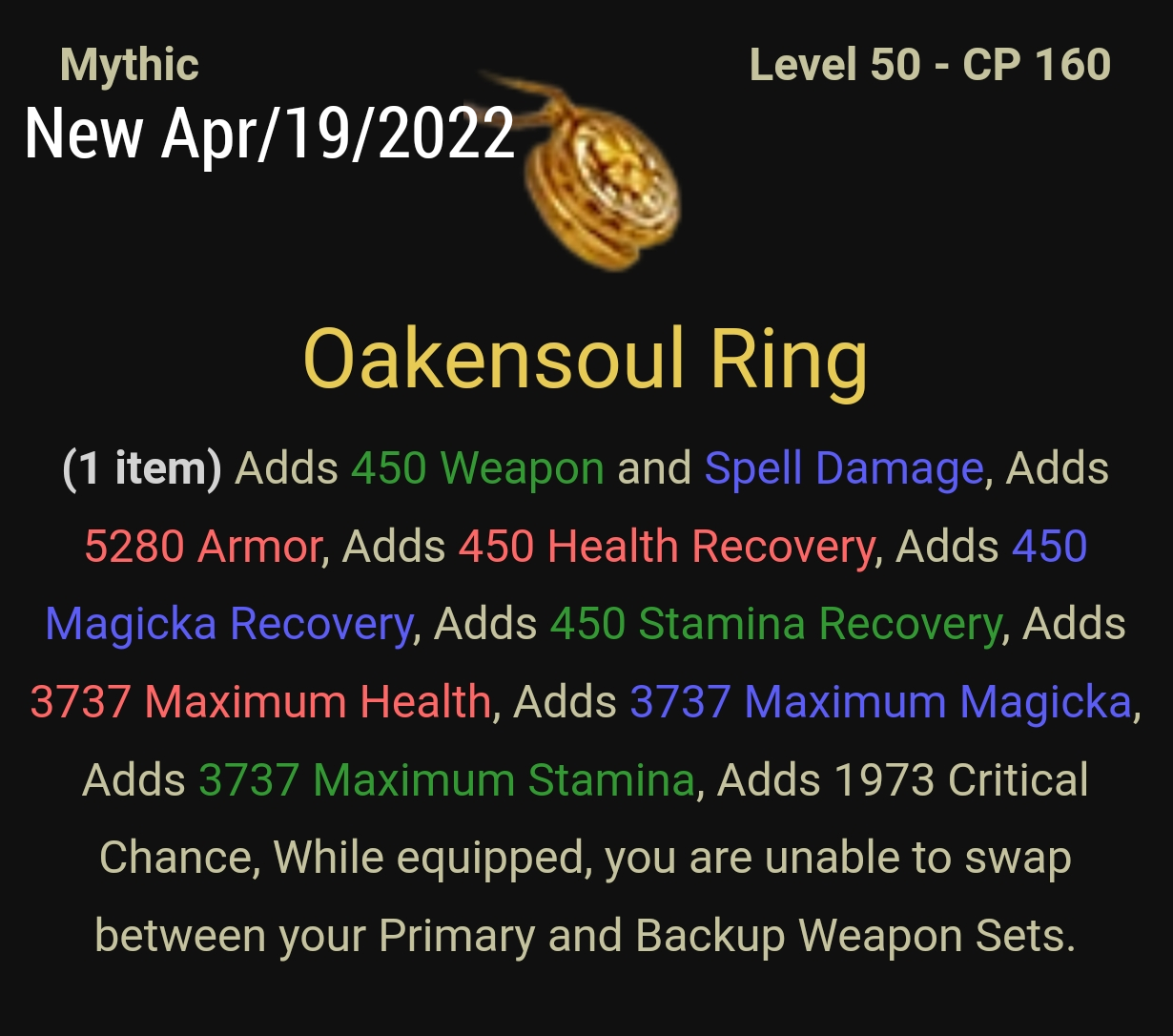
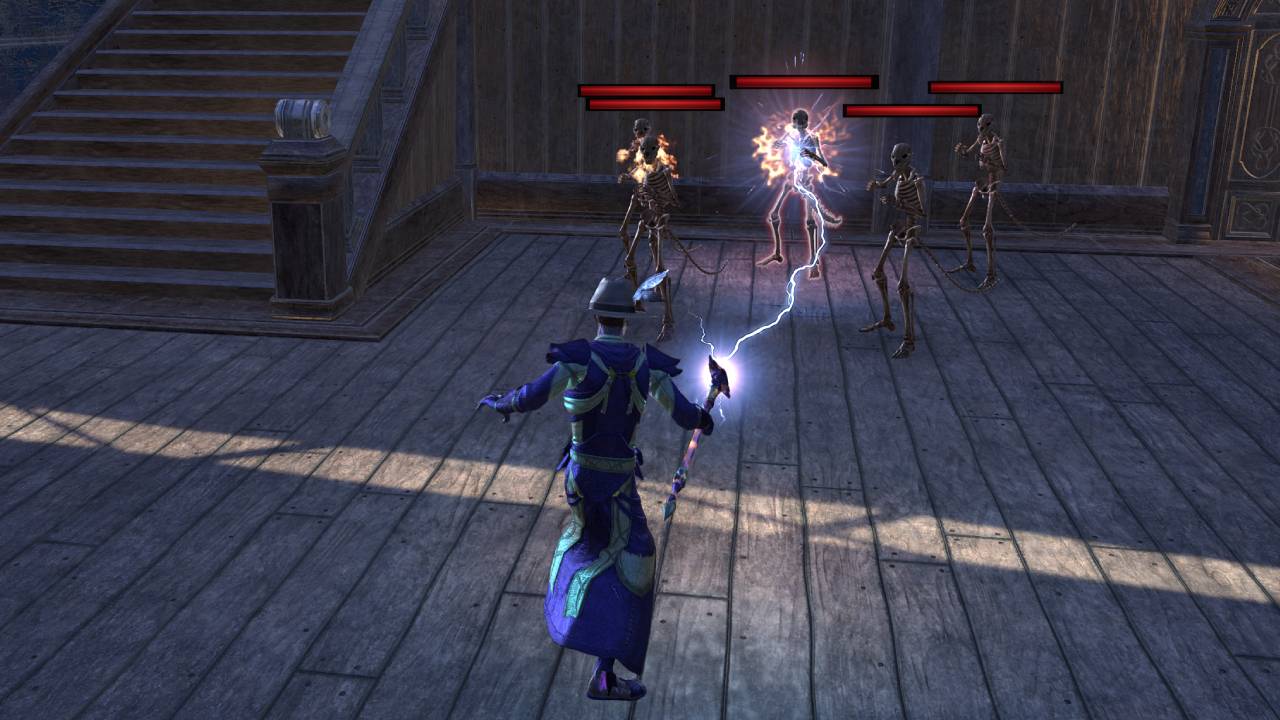
How it works: Equip a Lightning Staff. Unlike other weapons, the Lightning Staff channels its heavy attack. You only need to hold the button down rather than clicking repeatedly.
The Benefit: You replace 60+ clicks per minute with a single long press. It’s the closest native experience to an auto-attack system in the game.
---
If you prefer a classic Light Attack build but want to save your fingers, an external tool like Auto Clicker - Automatic Tap is the preferred choice for many players.
1. Set a 'Human' Interval: Don't click at 1ms. Set your interval to 1000ms (1 second). This matches the game’s Global Cooldown (GCD) and looks like natural weaving. 2. Enable Randomization: Use the Randomize feature in Auto Clicker - Automatic Tap. By adding a 50ms 'jitter,' your clicks won't land at the exact same millisecond every time, making it much harder for server-side detection to flag you. 3. Targeting: You still have to aim. The auto clicker handles the 'fire' command, but you must keep your reticle on the enemy.
---
ZOS has a strict "One Action per One Button Press" rule.
Safe: Rebinding keys or using an auto clicker set to a 1-second rhythm while you are actively playing.
Dangerous: Using a script that uses abilities, moves your character, and loots items while you are AFK.
In 2026, ZOS anti-cheat focuses on impossible speeds. If your clicker is set to 100 CPS (clicks per second), you will likely be kicked from the server and flagged for review. Keep your settings realistic!
---
1. Switch to a 'Lazy' Build: Look for gear like Sergeant’s Mail and Storm Master. These boost Heavy Attack damage significantly. 2. Configure Your Tool: Use Auto Clicker - Automatic Tap for mobile/emulated play or a reputable PC clicker. Set a toggle hotkey so you can turn it off during menus. 3. Test in a Player House: Practice on a combat dummy first to ensure your clicking interval aligns with your ability animations.
While the answer to "can I auto attack without clicking in ESO" is technically "no" within the game's settings, the combination of Oakensoul Heavy Attack builds and Auto Clicker - Automatic Tap makes combat much more accessible.
By using smart randomization and sticking to a 1-second rhythm, you can clear dungeons and farm meta-bits without the physical toll. Protect your hands and keep your account safe—automation is a tool, use it wisely!
Whether you're managing joint pain, farming materials, or just tired of the 'weaving' grind, knowing how to automate safely in 2026 is a game-changer. In this guide, we’ll look at the latest in-game gear and external tools like Auto Clicker - Automatic Tap to give your hands a break.
---
The Core Problem: Why ESO Doesn't Have 'Auto-Attack'
To be direct: ESO has no built-in auto-attack toggle. Every Light Attack (LA) and Heavy Attack (HA) requires a unique input. This is because the game is built around "Animation Canceling" or "Weaving"—firing a light attack and an ability in the same one-second window.
This constant clicking is exactly why players look for automation. In 2026, the most effective ways to solve this are either through specific gear or smart software settings.
---
The Native Solution: Heavy Attack Builds & Oakensoul
Before reaching for software, Zenimax (ZOS) has provided a 'legal' way to reduce clicking. By using the Oakensoul Ring (a Mythic item), you can play a high-damage "One-Bar Build."
---
Using Auto Clickers for ESO in 2026
If you prefer a classic Light Attack build but want to save your fingers, an external tool like Auto Clicker - Automatic Tap is the preferred choice for many players.
How to Automate Weaving Safely
To use a clicker in ESO without triggering anti-cheat flags, follow these steps:1. Set a 'Human' Interval: Don't click at 1ms. Set your interval to 1000ms (1 second). This matches the game’s Global Cooldown (GCD) and looks like natural weaving. 2. Enable Randomization: Use the Randomize feature in Auto Clicker - Automatic Tap. By adding a 50ms 'jitter,' your clicks won't land at the exact same millisecond every time, making it much harder for server-side detection to flag you. 3. Targeting: You still have to aim. The auto clicker handles the 'fire' command, but you must keep your reticle on the enemy.
---
The Rules: Will You Get Banned?
ZOS has a strict "One Action per One Button Press" rule.
In 2026, ZOS anti-cheat focuses on impossible speeds. If your clicker is set to 100 CPS (clicks per second), you will likely be kicked from the server and flagged for review. Keep your settings realistic!
---
Step-by-Step: Reducing Combat Fatigue
1. Switch to a 'Lazy' Build: Look for gear like Sergeant’s Mail and Storm Master. These boost Heavy Attack damage significantly. 2. Configure Your Tool: Use Auto Clicker - Automatic Tap for mobile/emulated play or a reputable PC clicker. Set a toggle hotkey so you can turn it off during menus. 3. Test in a Player House: Practice on a combat dummy first to ensure your clicking interval aligns with your ability animations.
Conclusion: Work Smarter, Not Harder
While the answer to "can I auto attack without clicking in ESO" is technically "no" within the game's settings, the combination of Oakensoul Heavy Attack builds and Auto Clicker - Automatic Tap makes combat much more accessible.
By using smart randomization and sticking to a 1-second rhythm, you can clear dungeons and farm meta-bits without the physical toll. Protect your hands and keep your account safe—automation is a tool, use it wisely!