
Boost Your Productivity: The Ultimate Guide to Finding and Using a Free Auto Clicker
Let’s be honest—repetitive tasks are the ultimate productivity killer. Whether you're a gamer trying to hit a leaderboard milestone or a professional drowning in data entry, clicking the same spot over and over is a waste of your potential. That’s where a free auto clicker comes in. It’s a simple, lightweight tool that handles the grunt work so you can focus on the stuff that actually matters.
In this guide, we’re breaking down how to pick a reliable tool, why it’s a literal lifesaver for your wrists, and how to get everything running in 2026 without the headache.
Think of it as a digital assistant for your mouse. a free auto clicker is a piece of software that simulates mouse clicks at whatever speed and location you choose. Instead of wearing out your finger (and your expensive gaming mouse) by clicking thousands of times, you let the software handle the precision and speed for you.
The best part? These tools are usually tiny, don't hog your computer's memory, and the high-quality ones give you all the pro features without charging you a cent.
Automation isn't just for coders anymore. Here’s how regular users are winning back their time:
Don't just download the first thing you see. A top-tier tool like Auto Clicker - Automatic Tap should offer:Customizable Intervals: Set clicks from milliseconds to hours.
Targeting Options: Choose to click where your cursor is or at specific X/Y coordinates.
Hotkey Support: This is a safety must—you need to be able to start and stop instantly with a key like F6.
Looping: Set it to run forever or stop after a certain number of clicks.
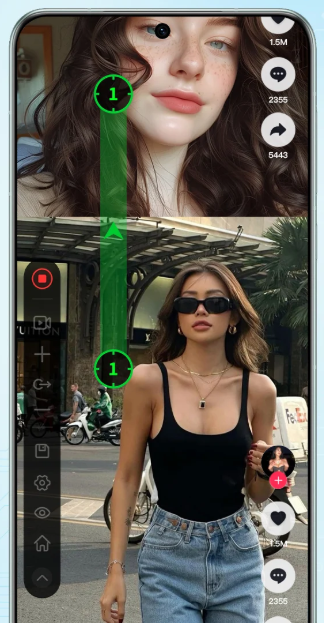
Ready to start? Follow these steps to get Auto Clicker - Automatic Tap up and running in minutes:
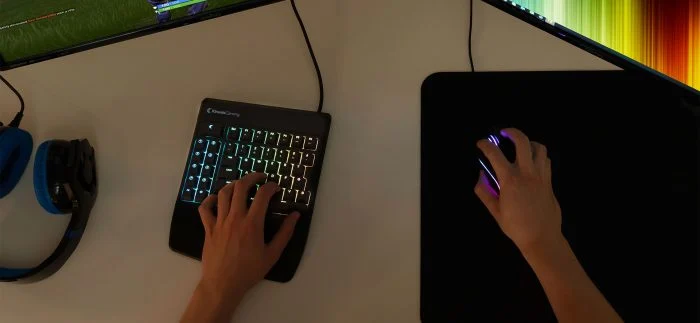
1. Download: Grab the executable from a trusted source. Most of these are 'portable,' meaning you don't even have to install them—just open and go. 2. Set the Speed: Define your interval. If you want one click per second, set it to 1000ms. 3. Pick Your Button: Choose Left, Right, or even Middle-click depending on your task. 4. Lock the Location: Decide if you want the clicker to follow your mouse or stay stuck on one specific button. 5. Know Your Hotkey: Memorize the 'Stop' key! This is crucial so you can regain control of your mouse the second you're done. 6. Go! Move your mouse to the target and hit the start key. Watch the productivity boost happen in real-time.
Is it legal? Absolutely. It's a utility tool for your own computer. Just be careful on competitive gaming servers—check their rules first so you don't catch an accidental ban.
Will it break my mouse? Nope! Since the clicking happens in the software, it actually extends the life of your physical mouse by saving it from thousands of mechanical clicks.

A reliable tool like Auto Clicker - Automatic Tap is more than just a gaming hack; it’s a shortcut to a more efficient digital life. By automating the boring stuff, you free up your brain (and your hands) for the creative tasks that actually need a human touch. Whether you're farming for gear or filing a report, it's time to let automation do the heavy lifting. Give it a try today!
In this guide, we’re breaking down how to pick a reliable tool, why it’s a literal lifesaver for your wrists, and how to get everything running in 2026 without the headache.
What Exactly is a Free Auto Clicker?
Think of it as a digital assistant for your mouse. a free auto clicker is a piece of software that simulates mouse clicks at whatever speed and location you choose. Instead of wearing out your finger (and your expensive gaming mouse) by clicking thousands of times, you let the software handle the precision and speed for you.
The best part? These tools are usually tiny, don't hog your computer's memory, and the high-quality ones give you all the pro features without charging you a cent.
Why You Should Add One to Your Toolkit
Automation isn't just for coders anymore. Here’s how regular users are winning back their time:
1. Leveling Up While You Sleep
If you play clicker games or RPGs that require endless resource gathering, an auto clicker is your best friend. It allows for 'AFK' (Away From Keyboard) progress, so your character keeps earning loot while you’re grabbed a snack or heading to bed.2. Crushing Mindless Office Work
Data entry often feels like a relic from the past, but many systems still require repetitive clicking to navigate forms. Using a free auto clicker can bridge that gap, reducing mental fatigue and making those boring transitions instantaneous.3. Protecting Your Physical Health
Carpal Tunnel and RSI (Repetitive Strain Injury) are real risks. Manually clicking all day puts massive stress on your tendons. Switching to an automated tool isn't just about speed; it’s a smart health move that lets your hand rest while the work gets done.Features to Look For in 2026
Don't just download the first thing you see. A top-tier tool like Auto Clicker - Automatic Tap should offer:
Setting Up Your First Clicker: Step-by-Step
Ready to start? Follow these steps to get Auto Clicker - Automatic Tap up and running in minutes:
1. Download: Grab the executable from a trusted source. Most of these are 'portable,' meaning you don't even have to install them—just open and go. 2. Set the Speed: Define your interval. If you want one click per second, set it to 1000ms. 3. Pick Your Button: Choose Left, Right, or even Middle-click depending on your task. 4. Lock the Location: Decide if you want the clicker to follow your mouse or stay stuck on one specific button. 5. Know Your Hotkey: Memorize the 'Stop' key! This is crucial so you can regain control of your mouse the second you're done. 6. Go! Move your mouse to the target and hit the start key. Watch the productivity boost happen in real-time.
Safety and Common Questions
Is it legal? Absolutely. It's a utility tool for your own computer. Just be careful on competitive gaming servers—check their rules first so you don't catch an accidental ban.
Will it break my mouse? Nope! Since the clicking happens in the software, it actually extends the life of your physical mouse by saving it from thousands of mechanical clicks.
Conclusion
A reliable tool like Auto Clicker - Automatic Tap is more than just a gaming hack; it’s a shortcut to a more efficient digital life. By automating the boring stuff, you free up your brain (and your hands) for the creative tasks that actually need a human touch. Whether you're farming for gear or filing a report, it's time to let automation do the heavy lifting. Give it a try today!