
Can an Auto Clicker Damage Your Android Phone? A Comprehensive Guide
In the world of mobile gaming and productivity, efficiency is king. Whether you are playing a resource-heavy RPG, a casual clicker game, or trying to automate a repetitive task, auto clicker apps for Android have become an essential tool for many users. However, a common question echoes through forums and tech communities: Can an auto clicker damage your Android phone?
If you are worried that these automation tools might be wearing down your hardware or compromising your device's security, you aren't alone. In this guide, we will break down the myths, the technical realities, and the best practices to ensure your device stays healthy while you automate.
Before we dive into the potential risks, it is important to understand what an auto clicker actually does. Unlike a physical robot arm tapping on your screen, an auto clicker is a software-based tool. It utilizes the Android Accessibility Service to simulate touch events at specific coordinates on your screen.
When you set an auto clicker to tap 10 times per second, the software sends a signal to the Android OS, telling it that a touch event has occurred. The hardware—your screen—doesn't actually 'feel' a physical impact. From a technical standpoint, the software is simply bypassing the need for human skin contact.
One of the most persistent myths is that an auto clicker can physically 'wear out' the touch sensitivity of your screen.
The Short Answer: No.
Because there is no physical pressure applied to the glass or the digitizer (the layer that senses your touch), the screen does not suffer from mechanical wear. Modern smartphone screens are designed to handle millions of touches over their lifespan. Since the auto clicker simulates these touches electronically, your Gorilla Glass is completely safe from scratches or cracks caused by the software.
While the screen itself won't break, using an auto clicker for extended periods can indirectly affect your phone's hardware. Here are the primary areas of concern:
Not all auto clickers are created equal. Since these apps require Accessibility Permissions, they have the potential to see everything on your screen and interact with other apps. This is a high-level permission that should only be granted to trusted software.Malware: Downloading an auto clicker from an unverified third-party APK site can expose your phone to malware or spyware.
Data Privacy: Some low-quality apps may track your usage patterns or collect data in the background.
Account Bans: While not damaging to the phone hardware, using an auto clicker in competitive games (like Pokémon GO or various MOBAs) often violates the Terms of Service. This can lead to your gaming account being permanently banned.
If you want the benefits of automation without the risks, follow these safety tips:
So, can an auto clicker damage your Android phone?
Directly, the answer is no. The software will not break your screen or 'fry' your circuits through normal use. However, the indirect effects—specifically heat and battery strain—can reduce the longevity of your device if you are not careful.
By choosing a reputable app, managing your device's temperature, and being mindful of your screen settings, you can enjoy the benefits of Android automation without turning your expensive smartphone into a paperweight. Automation is a powerful tool; just remember to use it responsibly to keep your hardware running smoothly for years to come.
If you are worried that these automation tools might be wearing down your hardware or compromising your device's security, you aren't alone. In this guide, we will break down the myths, the technical realities, and the best practices to ensure your device stays healthy while you automate.
Understanding How Auto Clickers Work
Before we dive into the potential risks, it is important to understand what an auto clicker actually does. Unlike a physical robot arm tapping on your screen, an auto clicker is a software-based tool. It utilizes the Android Accessibility Service to simulate touch events at specific coordinates on your screen.
When you set an auto clicker to tap 10 times per second, the software sends a signal to the Android OS, telling it that a touch event has occurred. The hardware—your screen—doesn't actually 'feel' a physical impact. From a technical standpoint, the software is simply bypassing the need for human skin contact.
Does an Auto Clicker Cause Physical Screen Damage?
One of the most persistent myths is that an auto clicker can physically 'wear out' the touch sensitivity of your screen.
The Short Answer: No.
Because there is no physical pressure applied to the glass or the digitizer (the layer that senses your touch), the screen does not suffer from mechanical wear. Modern smartphone screens are designed to handle millions of touches over their lifespan. Since the auto clicker simulates these touches electronically, your Gorilla Glass is completely safe from scratches or cracks caused by the software.
The Real Concerns: Hardware Stress and Longevity
While the screen itself won't break, using an auto clicker for extended periods can indirectly affect your phone's hardware. Here are the primary areas of concern:
1. Battery Degradation
Auto clickers often require the screen to stay on for hours at a time. High screen-on time is the fastest way to drain a battery. Furthermore, the constant processing power required to run the game and the automation software simultaneously generates heat. Frequent heat cycles and deep battery discharges can lead to a shorter overall battery lifespan.2. Overheating Issues
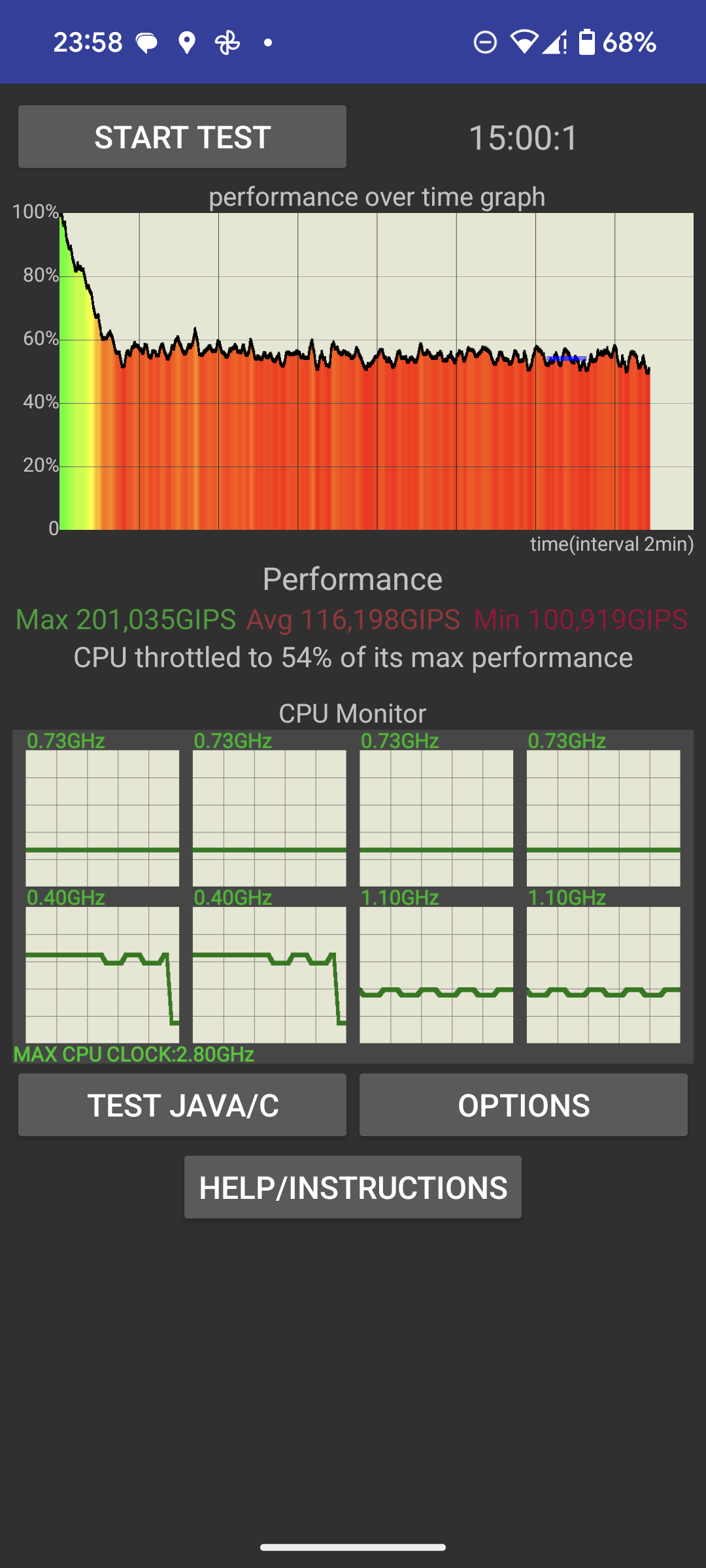
Android devices are passively cooled, meaning they rely on their chassis to dissipate heat. Running a high-performance game while an auto clicker executes hundreds of commands per minute puts a heavy load on the CPU and GPU. If your phone becomes uncomfortably hot to the touch, it could lead to thermal throttling—where the phone slows itself down to prevent damage—or in extreme cases, damage to internal components.3. Screen Burn-in (OLED/AMOLED)
If you have a modern flagship phone with an OLED or AMOLED display, you should be wary of 'burn-in.' This happens when static images are displayed on the screen for too long at high brightness. Most auto clickers have a floating control menu. If that menu stays in the same spot for 10 hours a day while you farm resources in a game, it could leave a permanent 'ghost image' on your display.Software Risks: Security and Malware
Not all auto clickers are created equal. Since these apps require Accessibility Permissions, they have the potential to see everything on your screen and interact with other apps. This is a high-level permission that should only be granted to trusted software.
How to Safely Use an Auto Clicker on Android
If you want the benefits of automation without the risks, follow these safety tips:
Step-by-Step for Safe Automation:
1. Download from the Play Store: Only use apps that have been vetted by Google Play Protect. Look for apps with high ratings and millions of downloads, such as 'Auto Clicker - Automatic Tap'. 2. Manage Your Brightness: Lower your screen brightness to the minimum usable level while the auto clicker is running. This reduces heat and prevents screen burn-in. 3. Use 'Hidden' Menus: If your auto clicker allows it, hide or dim the control panel while it is active to protect your OLED screen. 4. Cooling is Key: Do not leave your phone under a pillow or in a hot car while it is auto-clicking. Place it on a flat, hard surface (like a desk) to allow for better heat dissipation. 5. Set Reasonable Intervals: Don't set the click speed to 1 millisecond unless necessary. Excessive clicking speeds can cause the app or the OS to crash. 6. Monitor Battery Health: Use built-in Android tools to check your battery temperature. If it exceeds 40°C (104°F), it's time to give the device a break.The Verdict: Is It Safe?
So, can an auto clicker damage your Android phone?
Directly, the answer is no. The software will not break your screen or 'fry' your circuits through normal use. However, the indirect effects—specifically heat and battery strain—can reduce the longevity of your device if you are not careful.
By choosing a reputable app, managing your device's temperature, and being mindful of your screen settings, you can enjoy the benefits of Android automation without turning your expensive smartphone into a paperweight. Automation is a powerful tool; just remember to use it responsibly to keep your hardware running smoothly for years to come.