
Can an Auto Clicker Damage Your Phone? A Comprehensive Guide to Risks and Safety
Let’s be real—watching your phone crush a grind in Roblox or Clicker Heroes while you sleep feels like a superpower. Whether you're a dedicated gamer or a power user trying to skip repetitive tasks, mobile auto clickers are game-changers. But as your device sits there tapping away for the fifth hour straight, you've probably wondered: Can an auto clicker damage your phone?
The short answer is yes, but probably not in the way you think. An auto clicker won't physically 'crack' your glass, but the indirect stress on your battery, screen, and security is very real. In this 2026 guide, we’ll break down the technical risks and show you how to keep your hardware in peak condition while you automate.
---
To understand the risks, you have to look under the hood. Most modern apps, like Auto Clicker - Automatic Tap, use the Android Accessibility Service. This allows the app to 'see' the UI and simulate a touch event at specific coordinates.
Because the app is mimicking a digital signal, there is no physical pressure hitting your screen. Your phone's digitizer doesn't know the difference between a human thumb and a line of code. The 'damage' actually comes from intensity and heat, not the act of clicking itself.
---
On Android, auto clickers need high-level permissions to work. This is a double-edged sword. While a trusted app uses this to tap for you, a shady APK from a random forum could use it to read your messages or steal passwords. Always stick to reputable, well-reviewed tools like Auto Clicker - Automatic Tap from the official Google Play Store to keep your data locked down.
---
Beyond the hardware, there's your game account. Developers use smart anti-cheat to spot patterns that aren't human. If you click the exact same pixel every 100ms for five hours, you're asking for a ban. This can lead to:Permanent account suspension.
Loss of all in-game progress and purchases.
---
If you want the benefits of automation without the repair bill, follow these 2026 safety protocols using Auto Clicker - Automatic Tap:
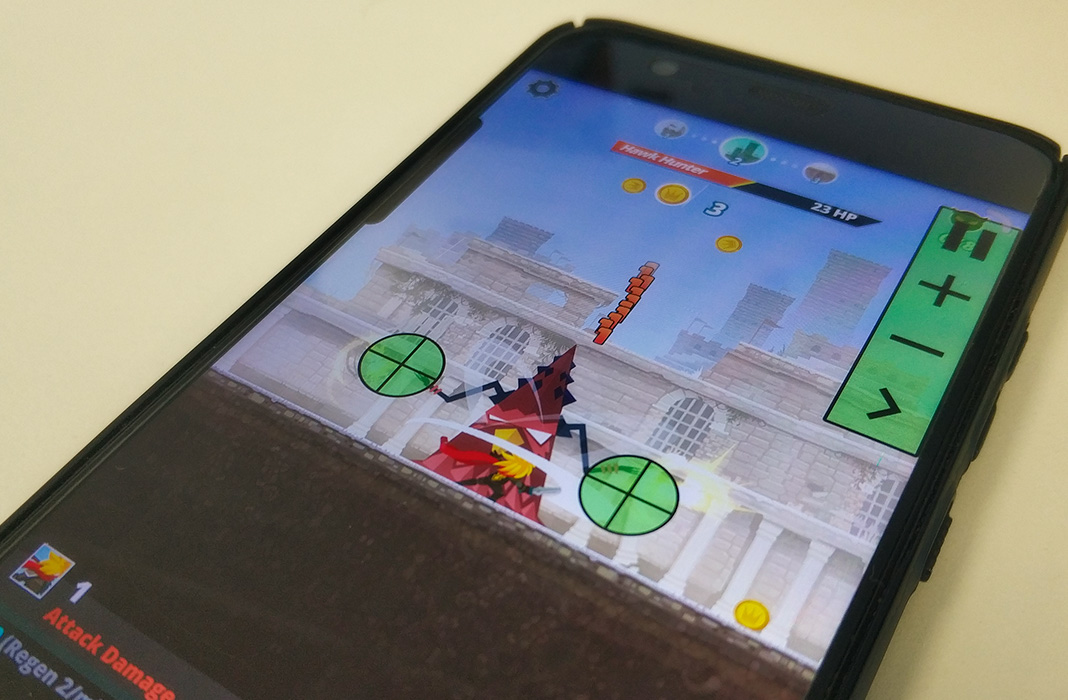
So, can an auto clicker damage your phone? Directly, no. But indirectly through heat, battery wear, and burn-in? Yes.
However, these risks are totally manageable. By using a reputable app like Auto Clicker - Automatic Tap, keeping your brightness low, and adding a little 'human' randomness to your taps, you can enjoy the grind without destroying your expensive tech. Treat your phone with a little care, and it’ll keep tapping for years to come!
The short answer is yes, but probably not in the way you think. An auto clicker won't physically 'crack' your glass, but the indirect stress on your battery, screen, and security is very real. In this 2026 guide, we’ll break down the technical risks and show you how to keep your hardware in peak condition while you automate.
---
How Mobile Auto Clickers Actually Work
To understand the risks, you have to look under the hood. Most modern apps, like Auto Clicker - Automatic Tap, use the Android Accessibility Service. This allows the app to 'see' the UI and simulate a touch event at specific coordinates.
Because the app is mimicking a digital signal, there is no physical pressure hitting your screen. Your phone's digitizer doesn't know the difference between a human thumb and a line of code. The 'damage' actually comes from intensity and heat, not the act of clicking itself.
1. The Hardware Hit: Screen and Battery
OLED Screen Burn-In
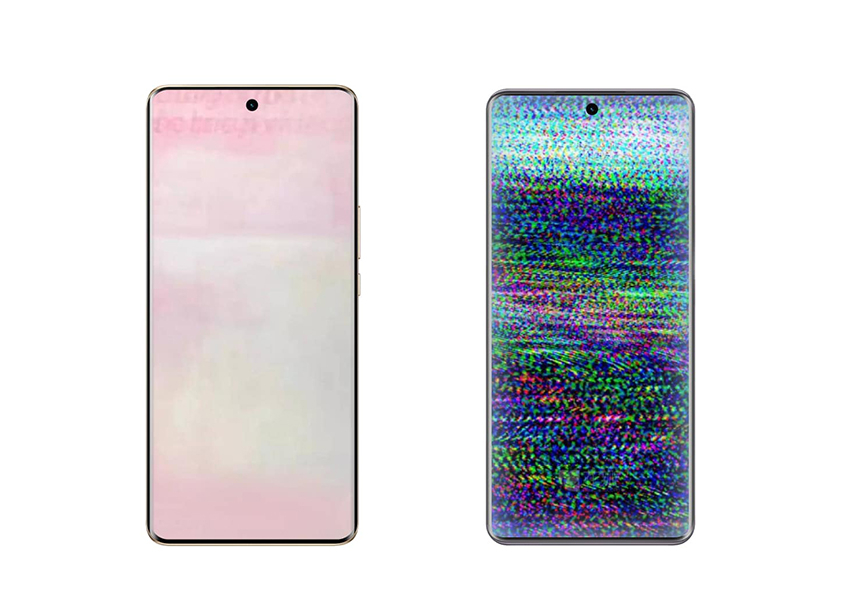
Most modern flagships (like the latest Galaxy or iPhone models) use OLED screens. These are made of organic compounds that wear out as they stay lit. When you use an auto clicker, the screen stays on for hours. If your game has a static button in the same spot, those specific pixels are working way harder than the rest. Over time, this leaves a permanent 'ghost image' or burn-in on your display.Battery Health and Thermal Stress
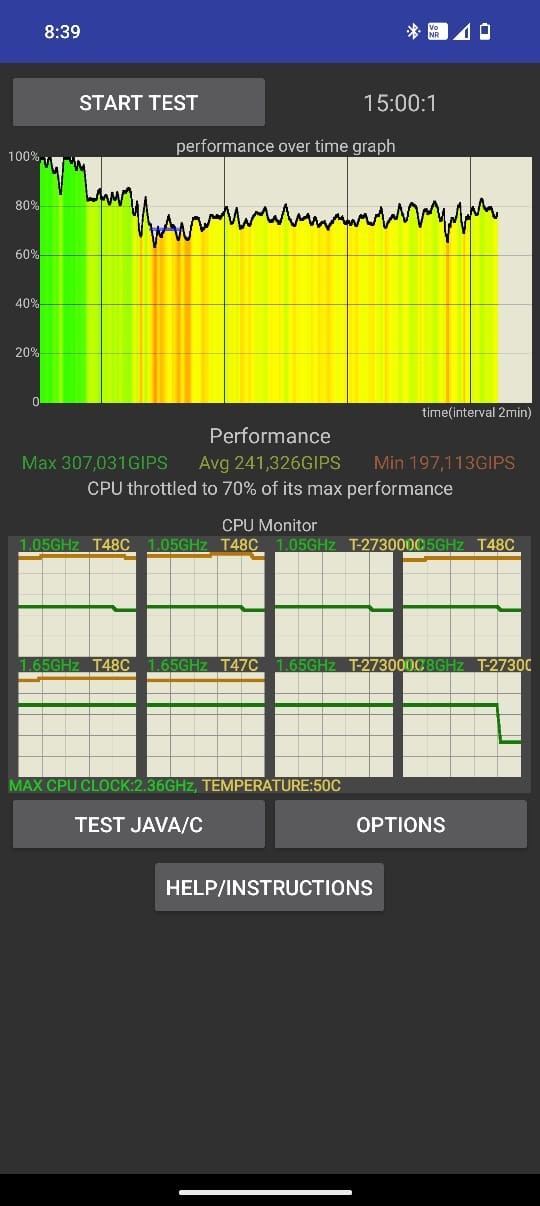
Heat is the #1 enemy of your phone. Running a high-end game and an automation tool simultaneously makes your CPU/GPU work overtime. If your phone is plugged into a charger during a long session, the heat can spike significantly. Constant heat accelerates battery aging, meaning your phone won't hold a charge as long after a few months of heavy clicking.---
2. Security: The 'Accessibility' Risk
On Android, auto clickers need high-level permissions to work. This is a double-edged sword. While a trusted app uses this to tap for you, a shady APK from a random forum could use it to read your messages or steal passwords. Always stick to reputable, well-reviewed tools like Auto Clicker - Automatic Tap from the official Google Play Store to keep your data locked down.
---
3. The 'Ban Hammer' Risk
Beyond the hardware, there's your game account. Developers use smart anti-cheat to spot patterns that aren't human. If you click the exact same pixel every 100ms for five hours, you're asking for a ban. This can lead to:
---
Step-by-Step: How to Use a Clicker Safely
If you want the benefits of automation without the repair bill, follow these 2026 safety protocols using Auto Clicker - Automatic Tap:
Step 1: Kill the Brightness
To prevent screen burn-in, drop your brightness to the lowest possible setting. Some apps even offer a 'black screen' overlay—use it! This saves your OLED pixels and reduces heat.Step 2: Use 'Humanized' Randomization
Never use a static interval. Set a 'randomize' range in your settings (e.g., tap every 0.9s to 1.2s instead of exactly 1s). Also, use 'Target Jitter' to shift the tap location by a few pixels each time. This makes the activity look human and keeps you safe from anti-cheat systems.Step 3: Stay Cool
Never run an auto clicker while your phone is under a pillow or in a thick case. Place it on a hard, flat surface (like a desk) to let the heat escape. If it feels hot to the touch, give it a 15-minute break.Step 4: Protect Your Battery
If your phone has a 'Battery Protect' feature (limiting charge to 80%), turn it on. Keeping a phone at 100% while it's generating high heat is the fastest way to kill your battery's long-term capacity.Conclusion: Is It Worth It?
So, can an auto clicker damage your phone? Directly, no. But indirectly through heat, battery wear, and burn-in? Yes.
However, these risks are totally manageable. By using a reputable app like Auto Clicker - Automatic Tap, keeping your brightness low, and adding a little 'human' randomness to your taps, you can enjoy the grind without destroying your expensive tech. Treat your phone with a little care, and it’ll keep tapping for years to come!