
Can Cell to Singularity Detect Auto Clicker? The Ultimate Guide for Efficient Evolution
Let’s be honest—evolving from a single-cell organism to a galaxy-spanning civilization takes a *lot* of tapping. In Cell to Singularity: Evolution Never Ends, Entropy and Ideas are the currency of existence, and sometimes your fingers just can't keep up with the cosmic timeline. This leads many players to ask: Can Cell to Singularity detect auto clickers?
If you're looking to fast-track the Mesozoic Valley or unlock the Beyond without catching a ban, you're in luck. In this 2026 guide, we’ll look at why this game is automation-friendly and how to use tools like Auto Clicker - Automatic Tap to reach the Singularity in record time.
---
To put your mind at ease: No, Cell to Singularity does not currently ban players for using auto clickers.
Unlike competitive shooters or MMOs where cheating ruins the fun for others, Cell to Singularity is a single-player simulation. The developers, Computer Lunch, focus on education and content updates (like the 2026 Tea Garden expansion) rather than implementing aggressive, 'Kernel-level' anti-cheat software. To the game, a click is a click—whether it comes from your thumb or a line of code.
---
Even though you won't get banned, the game's engine (Unity) has physical limits. Setting your clicker to 'infinite speed' won't actually help. Here’s why:
---
In 2026, the game is bigger than ever, and the grind has scaled up with it. Players typically automate for these milestones:
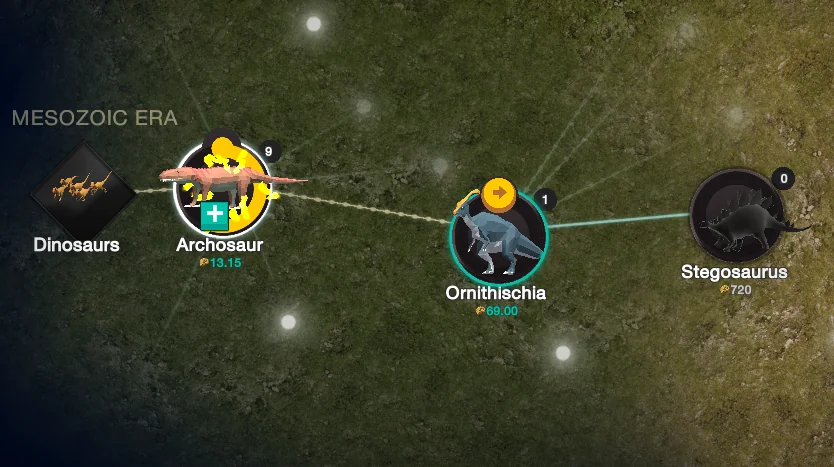
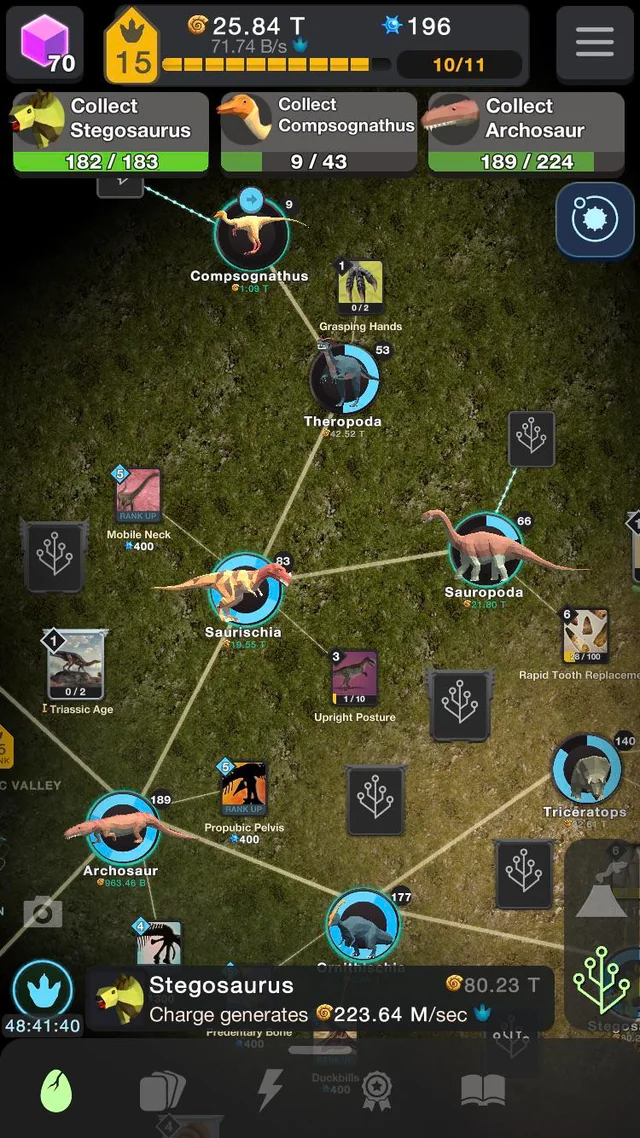
The Mesozoic Valley: Speeding up the collection of Fossils to prestige your dinosaurs faster.
The Beyond: Gathering massive amounts of Stardust to reach distant planets.
Meta-bit Farming: Accelerating the main simulation reset to boost your overall multiplier.
Accessibility: Protecting your joints from Repetitive Strain Injury (RSI) during long 'Clicking Frenzy' events.
---
If you're ready to boost your Tree of Life, follow these steps using Auto Clicker - Automatic Tap:
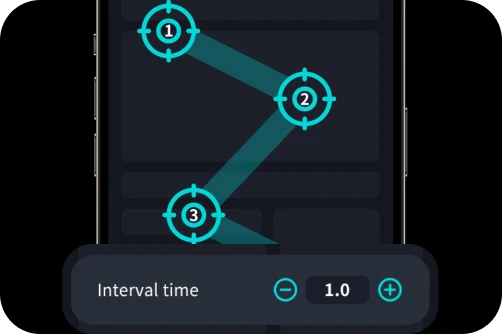
1. Choose a Trusted Tool: Download Auto Clicker - Automatic Tap from the official Google Play Store. Avoid random APKs that might compromise your device security. 2. Set the 'Sweet Spot' Interval: Don't use 1ms. Set your interval to 25ms to 50ms. This gives you a smooth 20-40 CPS that the game can actually register. 3. Target the Planet: Position your clicking target over the central organism or planet. This ensures the 'tap' animations trigger correctly and maximize your output. 4. Randomize for Realism: Use the 'Randomize' feature to vary the timing by a few milliseconds. While not required for safety in this game, it helps prevent the app from lagging the OS. 5. Watch the Heat: Long automation sessions can heat up your phone. Keep your device on a cool, flat surface and drop your screen brightness to the minimum.
So, can Cell to Singularity detect auto clicker? Technically, the engine sees the input, but the developers do not punish it. Automation is widely accepted in the community as a 'quality of life' tool for handling the grindiest parts of cosmic history.
By using a reputable app like Auto Clicker - Automatic Tap and keeping your speeds within the 'human-plus' range, you can enjoy the journey from the Big Bang to the future without the finger strain. Evolution takes millions of years—there's no shame in using a little 2026 technology to speed things up!
If you're looking to fast-track the Mesozoic Valley or unlock the Beyond without catching a ban, you're in luck. In this 2026 guide, we’ll look at why this game is automation-friendly and how to use tools like Auto Clicker - Automatic Tap to reach the Singularity in record time.
---
The Short Answer: Is There a Ban Risk?
To put your mind at ease: No, Cell to Singularity does not currently ban players for using auto clickers.
Unlike competitive shooters or MMOs where cheating ruins the fun for others, Cell to Singularity is a single-player simulation. The developers, Computer Lunch, focus on education and content updates (like the 2026 Tea Garden expansion) rather than implementing aggressive, 'Kernel-level' anti-cheat software. To the game, a click is a click—whether it comes from your thumb or a line of code.
---
How the Game Engine Handles High-Speed Taps
Even though you won't get banned, the game's engine (Unity) has physical limits. Setting your clicker to 'infinite speed' won't actually help. Here’s why:
1. The Internal 'Tick Rate'
The game processes logic in cycles. If you set Auto Clicker - Automatic Tap to click 1,000 times per second, the game will simply ignore about 95% of them. Most players find that anything over 40-50 clicks per second (CPS) is wasted energy.2. Performance Lag
On mobile devices, extreme clicking speeds can cause the UI to stutter. Ironically, if the game lags, your Entropy generation might actually *slow down* because the CPU is too busy handling input events to calculate your idle income.3. The Save File Safety
Always make sure your Cloud Save is active. While rare, using extreme macros during an auto-save moment can occasionally lead to save file 'bloat.' Stick to moderate speeds to keep your progress safe.---
Why Use an Auto Clicker for Your Simulation?
In 2026, the game is bigger than ever, and the grind has scaled up with it. Players typically automate for these milestones:
---
Step-by-Step: Setting Up a Safe Evolution
If you're ready to boost your Tree of Life, follow these steps using Auto Clicker - Automatic Tap:
1. Choose a Trusted Tool: Download Auto Clicker - Automatic Tap from the official Google Play Store. Avoid random APKs that might compromise your device security. 2. Set the 'Sweet Spot' Interval: Don't use 1ms. Set your interval to 25ms to 50ms. This gives you a smooth 20-40 CPS that the game can actually register. 3. Target the Planet: Position your clicking target over the central organism or planet. This ensures the 'tap' animations trigger correctly and maximize your output. 4. Randomize for Realism: Use the 'Randomize' feature to vary the timing by a few milliseconds. While not required for safety in this game, it helps prevent the app from lagging the OS. 5. Watch the Heat: Long automation sessions can heat up your phone. Keep your device on a cool, flat surface and drop your screen brightness to the minimum.
Conclusion: Evolution, Automated
So, can Cell to Singularity detect auto clicker? Technically, the engine sees the input, but the developers do not punish it. Automation is widely accepted in the community as a 'quality of life' tool for handling the grindiest parts of cosmic history.
By using a reputable app like Auto Clicker - Automatic Tap and keeping your speeds within the 'human-plus' range, you can enjoy the journey from the Big Bang to the future without the finger strain. Evolution takes millions of years—there's no shame in using a little 2026 technology to speed things up!