
Can You Auto Click on iPhone? A 2026 Practical Guide to iOS Automation
If you have ever spent hours on a mobile game like Tap Titans 2 or found yourself manually refreshing a page for a limited drop, the question is inevitable: Can you auto click on iPhone?
In 2026, Apple’s ecosystem remains as secure as ever. Because of iOS’s strict 'sandboxing'—which prevents one app from controlling another—most 'Auto Clicker' apps you find in the App Store are either misleading or limited to their own built-in browsers. However, you don't need a third-party app to get the job done. Apple has hidden a powerful automation tool right in your settings. This guide covers the 2026 standard for native iOS automation using Switch Control.
---
Despite the influx of 'productivity' apps, Apple still blocks third-party software from overlaying or tapping on other applications. This is a core security feature. To achieve true automation, you must use the native Accessibility framework. It’s the only way to ensure your data stays private while still getting that competitive edge in your favorite games.
---
The 'Switch Control' method essentially lets you record a 'Recipe' of taps and replay them. Here is the streamlined 2026 workflow:
2. Tap Switches > Add New Switch > Screen > Full Screen.
3. Select Select Item. This tells the iPhone that a tap anywhere on the screen will trigger your automation.
2. Name it "2026 Clicker."
3. Tap Assign a Switch > Full Screen > Custom Gesture.
4. The Recording: On the gray screen, tap exactly where you need the auto-clicks to happen. Save it.
5. Crucial: Go to Launch Recipe and select your new "2026 Clicker."
---
Unlike PC clickers, the iPhone version works on a 'queue.'
1. Open your game or app.
2. Triple-click the side button to start Switch Control.
3. The Trick: For every 5 times you tap the screen manually, the iPhone will replay your entire recorded recipe 5 times. If you tap the screen rapidly for 30 seconds, you can 'buffer' enough clicks to keep the phone clicking automatically for several minutes while you step away.
---
Safety: Since it’s a built-in Apple feature, it’s 100% safe and doesn't require a jailbreak.
Stability: It won't crash your OS like some third-party 'scam' apps.
The Downside: It can be difficult to stop once you've 'buffered' too many clicks. If the phone feels stuck, simply lock the screen with the power button to pause the sequence.
---
For tasks that don't require high-speed tapping (like refreshing a page every 5 minutes), Apple Shortcuts has become much more powerful in 2026. While it can't 'click' inside a game, it can automate complex system tasks, web requests, and app launches.
Additionally, AssistiveTouch now allows for 'Dwell Control' in 2026, which can be configured to perform a click if the cursor (via a connected mouse or head-tracking) stays on one spot for a set time. This is a great alternative for those needing accessibility-focused automation.
Can you auto click on an iPhone? Yes, and in 2026, the native Switch Control method is still the gold standard for security and reliability. It takes a few minutes to set up, but it saves your index finger from thousands of unnecessary taps. Whether you're dominating an idle RPG or automating a repetitive chore, mastering these accessibility tools is the smartest way to handle the 2026 mobile landscape. Give it a shot—just remember to start with a simple recipe before going for complex multi-tap patterns!
In 2026, Apple’s ecosystem remains as secure as ever. Because of iOS’s strict 'sandboxing'—which prevents one app from controlling another—most 'Auto Clicker' apps you find in the App Store are either misleading or limited to their own built-in browsers. However, you don't need a third-party app to get the job done. Apple has hidden a powerful automation tool right in your settings. This guide covers the 2026 standard for native iOS automation using Switch Control.
---
The Reality of iOS Auto Clickers in 2026
Despite the influx of 'productivity' apps, Apple still blocks third-party software from overlaying or tapping on other applications. This is a core security feature. To achieve true automation, you must use the native Accessibility framework. It’s the only way to ensure your data stays private while still getting that competitive edge in your favorite games.
---
How to Set Up the Native iPhone Auto Clicker
The 'Switch Control' method essentially lets you record a 'Recipe' of taps and replay them. Here is the streamlined 2026 workflow:
Step 1: Define a 'Full Screen' Switch
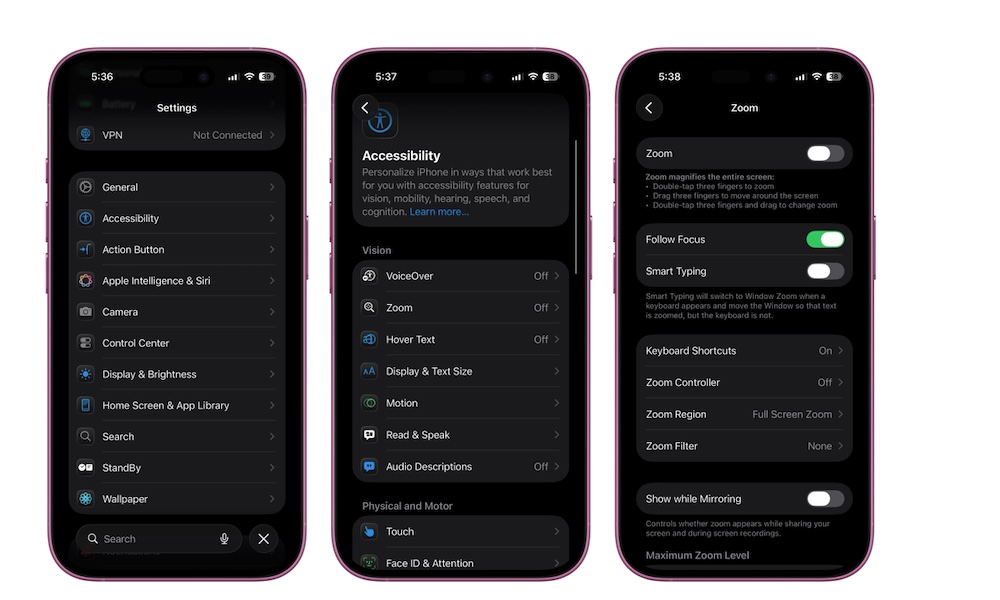
1. Go to Settings > Accessibility > Switch Control.2. Tap Switches > Add New Switch > Screen > Full Screen.
3. Select Select Item. This tells the iPhone that a tap anywhere on the screen will trigger your automation.
Step 2: Create Your Tap Recipe
1. Back in the Switch Control menu, tap Recipes > Create New Recipe.2. Name it "2026 Clicker."
3. Tap Assign a Switch > Full Screen > Custom Gesture.
4. The Recording: On the gray screen, tap exactly where you need the auto-clicks to happen. Save it.
5. Crucial: Go to Launch Recipe and select your new "2026 Clicker."
Step 3: Activate the Shortcut
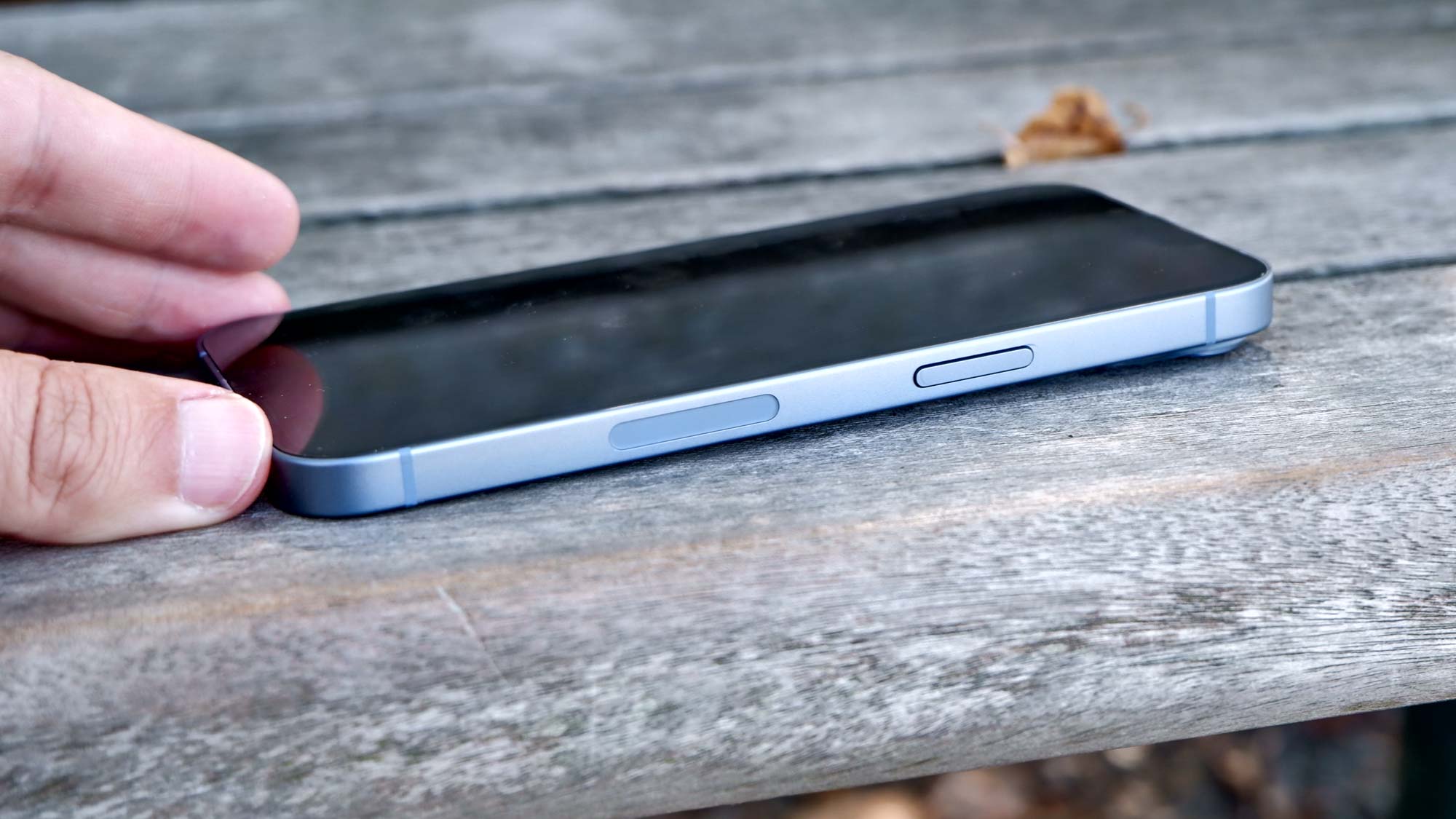
Go to Settings > Accessibility > Accessibility Shortcut and check Switch Control. Now, you can toggle your clicker by triple-clicking the side button.---
Using the Clicker: The 'Buffer' System
Unlike PC clickers, the iPhone version works on a 'queue.'
1. Open your game or app.
2. Triple-click the side button to start Switch Control.
3. The Trick: For every 5 times you tap the screen manually, the iPhone will replay your entire recorded recipe 5 times. If you tap the screen rapidly for 30 seconds, you can 'buffer' enough clicks to keep the phone clicking automatically for several minutes while you step away.
---
Pros and Cons of the Native iOS Method
---
2026 Alternative: Apple Shortcuts & AssistiveTouch
For tasks that don't require high-speed tapping (like refreshing a page every 5 minutes), Apple Shortcuts has become much more powerful in 2026. While it can't 'click' inside a game, it can automate complex system tasks, web requests, and app launches.
Additionally, AssistiveTouch now allows for 'Dwell Control' in 2026, which can be configured to perform a click if the cursor (via a connected mouse or head-tracking) stays on one spot for a set time. This is a great alternative for those needing accessibility-focused automation.
Conclusion: Smarter Automation
Can you auto click on an iPhone? Yes, and in 2026, the native Switch Control method is still the gold standard for security and reliability. It takes a few minutes to set up, but it saves your index finger from thousands of unnecessary taps. Whether you're dominating an idle RPG or automating a repetitive chore, mastering these accessibility tools is the smartest way to handle the 2026 mobile landscape. Give it a shot—just remember to start with a simple recipe before going for complex multi-tap patterns!