
Can Auto Clicker Get You Banned? The Ultimate Guide to Safe Automation
Let’s be real—efficiency is the name of the game in 2026. Whether you're trying to crush a grind in Roblox, automate a repetitive task at work, or stay active in a simulator, auto clickers are the ultimate time-savers. But as these tools become more common, developers are watching closer than ever.
The short answer is: Yes, an auto clicker can get you banned. But it’s not just about *if* you use one—it’s about *how* you use it. Whether you face a penalty depends on the game’s detection tech and how 'human' your automation looks. In this guide, we’ll show you how to stay under the radar and keep your account safe.
---
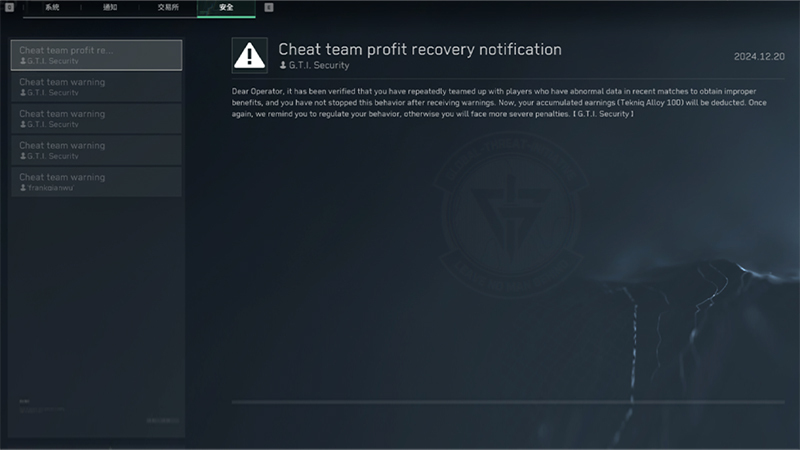
Gone are the days when anti-cheat just looked for a file named 'AutoClicker.exe.' Today’s systems, like Hyperion or Easy Anti-Cheat, use advanced behavioral analysis. Here is what they are looking for:
---
---
If you're using a tool for productivity or casual gaming, you need to mimic human behavior. Follow these steps using Auto Clicker - Automatic Tap to minimize your risk:
So, can an auto clicker get you banned? Absolutely. In competitive environments, the risk is high. But for casual play and work, the risk is manageable if you use a smart tool like Auto Clicker - Automatic Tap.
The key is subtlety. By using randomization and staying within human limits, you can enjoy the efficiency of automation without losing your hard-earned progress. Just remember: no tool can guarantee to go completely unnoticed. Play smart, stay human-like, and happy grinding!
The short answer is: Yes, an auto clicker can get you banned. But it’s not just about *if* you use one—it’s about *how* you use it. Whether you face a penalty depends on the game’s detection tech and how 'human' your automation looks. In this guide, we’ll show you how to stay under the radar and keep your account safe.
---
How Modern Detection Systems Actually Work
Gone are the days when anti-cheat just looked for a file named 'AutoClicker.exe.' Today’s systems, like Hyperion or Easy Anti-Cheat, use advanced behavioral analysis. Here is what they are looking for:
1. The 'Perfect' Rhythm
If you click exactly every 100 milliseconds for three hours straight without a single millisecond of difference, you’ve flagged yourself. It is mathematically impossible for a human to be that consistent. Systems look for this rigid, 'robotic' timing.2. Static Cursor Positioning
A human hand has a natural 'jitter.' Even if you're trying to stay still, your cursor will shift by a pixel or two. If your phone or PC detects thousands of clicks on the exact same X and Y coordinates for hours, it’s a dead giveaway of automation.3. Impossible CPS (Clicks Per Second)
Most humans top out at 6–10 clicks per second. If a game server receives 50 'attack' commands per second from your account, it knows you're using a tool. This often leads to an instant automated kick or a permanent ban.---
The Risk Level: Where Are You Playing?
Roblox & Simulators
Roblox usually won't ban your entire account for a simple external clicker. However, individual game creators (like those behind Blox Fruits or Pet Sim) have their own anti-cheat scripts. They can reset your stats or ban you from their specific game if they catch you AFK farming without 'human' patterns.Competitive Shooters (Valorant, Apex Legends)
In these games, the risk is extremely high. They use kernel-level anti-cheat that scans your system's memory. Running any automation tool while playing is a fast track to a hardware ID (HWID) ban, meaning you can't even play on that PC anymore.Minecraft Servers
Single-player is 100% safe. But on massive servers like Hypixel, 'Watchdog' systems are tuned to detect unnatural clicking. If you exceed the server's CPS limit, you’re looking at a permanent ban from the network.---
How to Use an Auto Clicker Safely in 2026
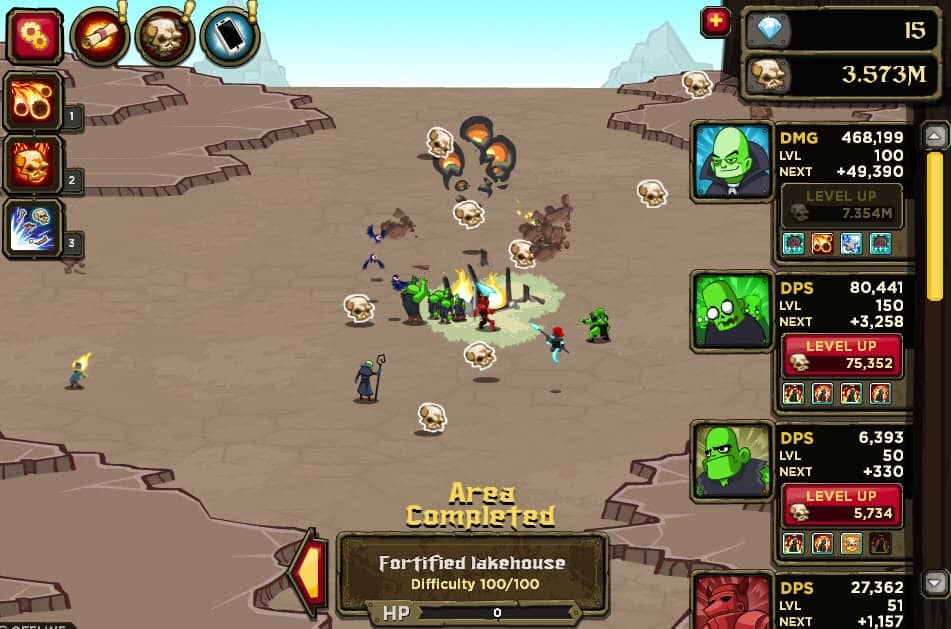
If you're using a tool for productivity or casual gaming, you need to mimic human behavior. Follow these steps using Auto Clicker - Automatic Tap to minimize your risk:
Step 1: Enable Randomization (Crucial!)
Never set a flat rate. Instead of '100ms,' set a range like 'between 100ms and 140ms.' Auto Clicker - Automatic Tap features built-in randomization that introduces the natural variance anti-cheat systems expect from a human.Step 2: Add 'Target Jitter'
Don't click the same pixel. Use settings that allow the clicker to hit a slightly different spot within a small radius each time. This simulates the natural movement of a human thumb.Step 3: Keep CPS Realistic
Don't aim for 100 clicks per second if 8 will do. It is much harder for a system to distinguish 7 CPS from a fast human than it is to spot 60 CPS. Stay within 'human' limits whenever possible.Step 4: Don't Go 'Full AFK'
Never leave a clicker running for 24 hours straight. Real humans sleep and take breaks. Program the tool to stop after a certain time, or check in on your device periodically to move your character. If a Moderator messages you and you don't answer while perfectly clicking, you're done.Conclusion: Is It Worth It?
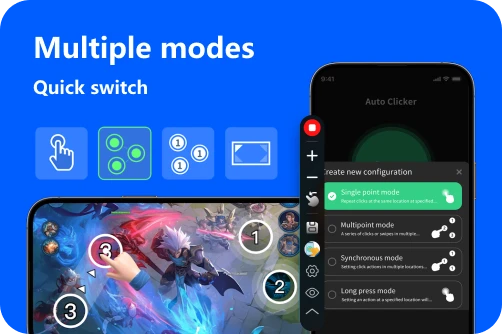
So, can an auto clicker get you banned? Absolutely. In competitive environments, the risk is high. But for casual play and work, the risk is manageable if you use a smart tool like Auto Clicker - Automatic Tap.
The key is subtlety. By using randomization and staying within human limits, you can enjoy the efficiency of automation without losing your hard-earned progress. Just remember: no tool can guarantee to go completely unnoticed. Play smart, stay human-like, and happy grinding!