
Can Game Maker Auto Click? The Ultimate Guide to GameMaker Automation
In the world of game development, GameMaker (formerly GameMaker Studio 2) is a powerhouse for creating everything from indie hits like Undertale to massive clicker games like Forager. Whether you are a developer looking to automate UI testing or a player trying to conquer a grind-heavy RPG, you’ve likely asked: Can Game Maker auto click?
The short answer is yes. In 2026, GameMaker handles automation in two ways: through internal GML (GameMaker Language) code or via external tools. In this guide, we’ll break down the technical side of GML mouse simulation and how to use tools like Auto Clicker - Automatic Tap to master your GameMaker experience.
---
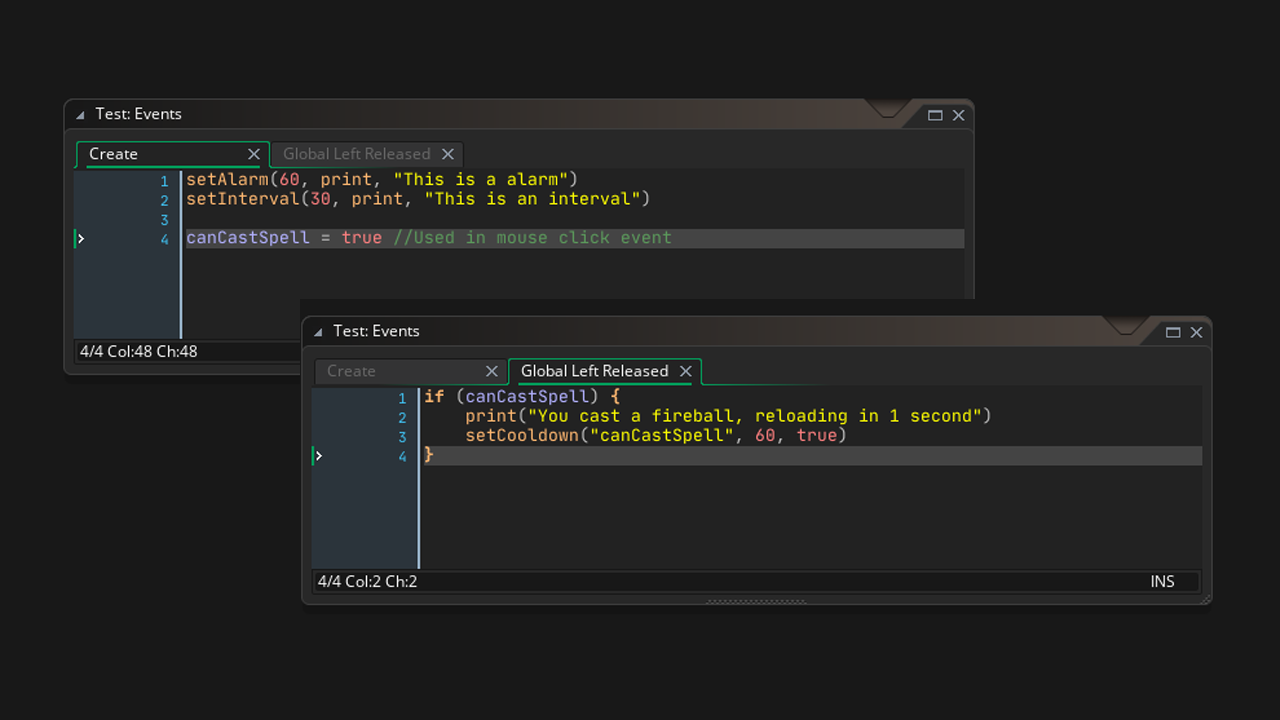
If you are building a game, you don't actually need to "click" the hardware mouse. Instead, you simulate the logic of a click. GameMaker runs on a loop (steps), checking for input like
1. Create an Object: Call it
This method is 100% safe and doesn't require any third-party software, as it's built directly into the game's DNA.
---
If you are playing a game made in GameMaker and want to use an external tool like Auto Clicker - Automatic Tap, it works perfectly. GameMaker exports games as standard executables that listen to OS-level mouse signals.
Break the CPS Barrier: Reach click speeds (like 40+ clicks per second) that no human finger can sustain.
AFK Progress: Keep the game running and progress while you're away from your desk.
QA Testing: Stress-test how a game handles rapid input without writing a single line of code.
---
To get the best results on a GameMaker title, follow these 2026 best practices using Auto Clicker - Automatic Tap:
1. Match the Frame Rate: Most GameMaker games run at 60 FPS. Set your click interval to 16ms to 33ms. This ensures your clicks sync up with the game's internal 'step' events. 2. Enable Randomization: Some modern GameMaker games have basic 'anti-cheat' scripts that look for perfectly timed clicks. Use the Randomize feature to add a few milliseconds of 'jitter' to stay undetected. 3. Run as Administrator: If the game was installed via Steam and has high-level permissions, make sure your auto-clicker app is also running with the same permissions so the signals aren't blocked by Windows.
---
If your auto-clicker isn't working in a specific game, check these three common GameMaker-specific issues:
The 'Step' Conflict: If the developer only used
Focus Loss: Many GameMaker games pause or go to 'sleep' when the window is out of focus. Ensure the game is in the foreground.
Input Blocking: If the game uses a specific UI library (like Emu or GML-UI), it might ignore 'simulated' clicks that don't include a tiny bit of cursor movement. Enable 'Target Jitter' to fix this.
So, can Game Maker auto click? Absolutely. Whether you are coding a masterpiece from the inside using GML or using a powerful tool like Auto Clicker - Automatic Tap from the outside, GameMaker is one of the most automation-friendly engines on the market.
By understanding the frame-based logic of the engine and using human-like randomization, you can automate your way to victory or build the next great idle tycoon. Start clicking smarter today!
The short answer is yes. In 2026, GameMaker handles automation in two ways: through internal GML (GameMaker Language) code or via external tools. In this guide, we’ll break down the technical side of GML mouse simulation and how to use tools like Auto Clicker - Automatic Tap to master your GameMaker experience.
---
The Developer's Perspective: Auto-Clicking in GML
If you are building a game, you don't actually need to "click" the hardware mouse. Instead, you simulate the logic of a click. GameMaker runs on a loop (steps), checking for input like
mouse_check_button_pressed every frame.How to Program an Auto-Clicker in GML
To create a 'virtual' clicker in your own project, you use **Alarms** or **Timers**. This is how you build 'Idle' mechanics or accessibility features:1. Create an Object: Call it
obj_auto_farm.
2. Set an Alarm: In the Create Event, set alarm[0] = 60; (for once per second at 60fps).
3. The Alarm Logic: Inside alarm[0], trigger your action (e.g., gold += 1; or instance_create_layer(x, y, "Effects", obj_sparkle);).
4. Looping: Reset alarm[0] = 60; at the end of the block to keep it clicking.This method is 100% safe and doesn't require any third-party software, as it's built directly into the game's DNA.
---
The Player's Perspective: Using External Tools
If you are playing a game made in GameMaker and want to use an external tool like Auto Clicker - Automatic Tap, it works perfectly. GameMaker exports games as standard executables that listen to OS-level mouse signals.
Why Use an External Auto Clicker?
---
Step-by-Step: Setting Up for a GameMaker Game
To get the best results on a GameMaker title, follow these 2026 best practices using Auto Clicker - Automatic Tap:
1. Match the Frame Rate: Most GameMaker games run at 60 FPS. Set your click interval to 16ms to 33ms. This ensures your clicks sync up with the game's internal 'step' events. 2. Enable Randomization: Some modern GameMaker games have basic 'anti-cheat' scripts that look for perfectly timed clicks. Use the Randomize feature to add a few milliseconds of 'jitter' to stay undetected. 3. Run as Administrator: If the game was installed via Steam and has high-level permissions, make sure your auto-clicker app is also running with the same permissions so the signals aren't blocked by Windows.
---
Troubleshooting: Why Isn't It Clicking?
If your auto-clicker isn't working in a specific game, check these three common GameMaker-specific issues:
mouse_check_button_pressed, clicking *too fast* (e.g., 1ms) might cause the click to start and end before the engine even checks the frame. Try slowing down to 50ms.Conclusion: Master the Engine
So, can Game Maker auto click? Absolutely. Whether you are coding a masterpiece from the inside using GML or using a powerful tool like Auto Clicker - Automatic Tap from the outside, GameMaker is one of the most automation-friendly engines on the market.
By understanding the frame-based logic of the engine and using human-like randomization, you can automate your way to victory or build the next great idle tycoon. Start clicking smarter today!