
iPhone Auto-Lock Grayed Out? 2026 Guide to Unlocking 'Never' for AFK Grinding
Imagine this: You’ve just set up Auto Clicker - Automatic Tap for an overnight session in Roblox or Royale High, but ten minutes later, your screen goes black. You rush to your settings, only to find the Auto-Lock option is a stubborn shade of gray. For automation enthusiasts and mobile developers in 2026, this 'grayed out' menu is the ultimate productivity killer.
The good news? Your iPhone isn't broken—it's just being overprotective. Whether you're running iOS 19 or the early beta of iOS 20, Apple’s security and power-saving features often override your manual preferences. Here is how to reclaim control and keep your screen 'Always On' for your automation toolkit.
---
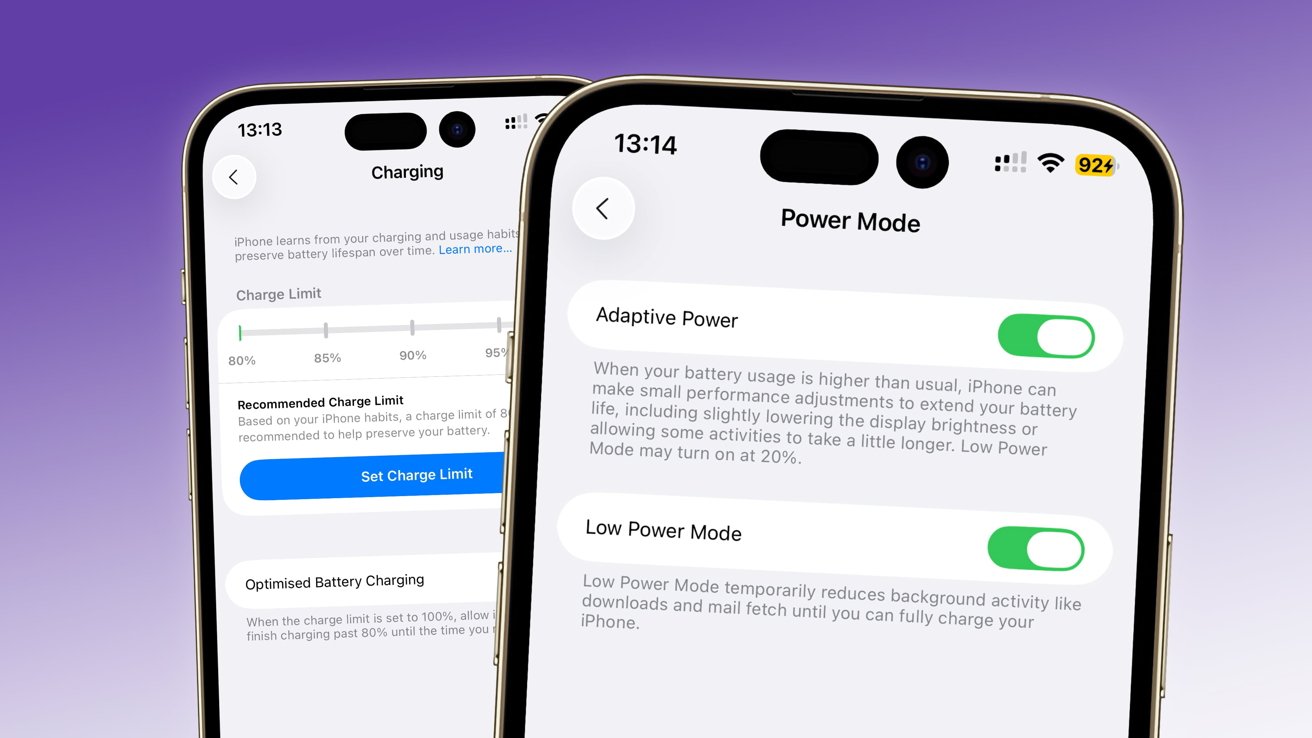
By far, the #1 reason you can't click Auto-Lock is Low Power Mode. To keep your device alive, iOS forces a 30-second lock timer. Even if you're at 100% battery, if that icon is yellow, your settings are locked.
The Quick Fix:Head to Settings > Battery.
Toggle Low Power Mode to OFF.
Go back to Display & Brightness; your freedom to select 'Never' should be restored.
---
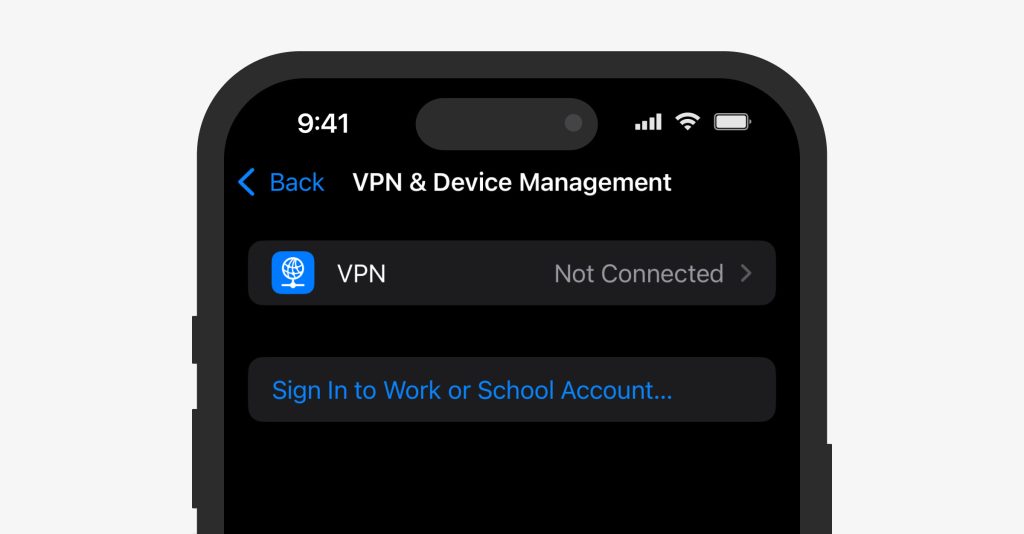
If your iPhone was provided by your employer, or if you've synced a work email via Microsoft Exchange, you might be under the thumb of a Mobile Device Management (MDM) profile. These profiles often mandate a maximum lock time (e.g., 2 minutes) to protect sensitive data if the phone is left unattended.
How to Check:Go to Settings > General > VPN & Device Management.
If you see a 'Configuration Profile' from your workplace, that's your culprit. Removing it usually requires admin permission and might delete your work emails, so proceed with caution.
---
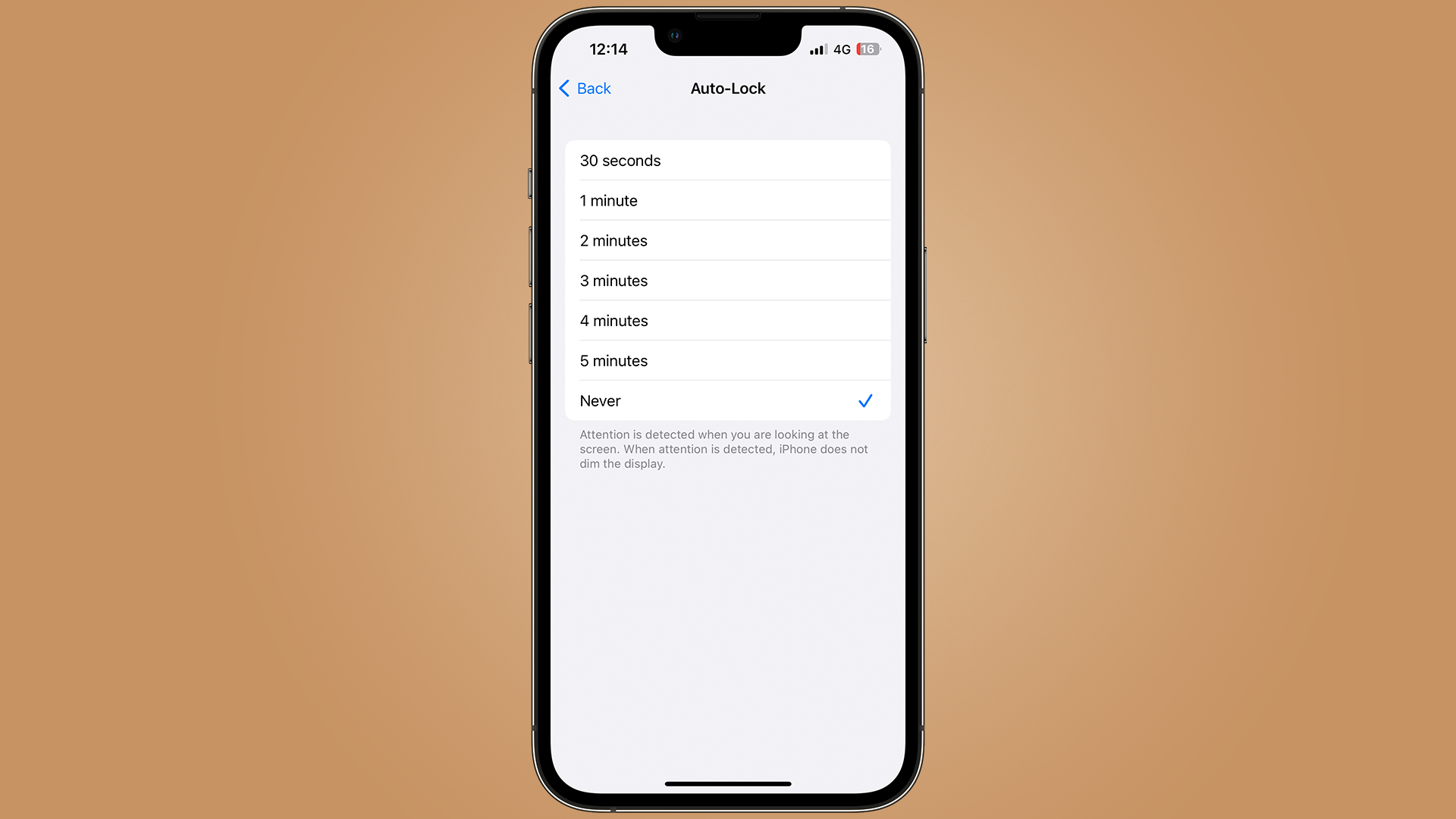
In the 2026 iteration of iOS, Screen Time has become even more integrated. If you have 'Content & Privacy Restrictions' active, the system may block changes to system-level settings like display timeouts.
The Unlock:Go to Settings > Screen Time > Content & Privacy Restrictions.
Ensure that 'System Customization' or 'Passcode Changes' aren't restricting your access.
---
When you're pushing for that 99 Magic in OSRS or farming diamonds in Royale High, just setting the lock to 'Never' isn't enough. Here’s how the pros do it in 2026:
Thermal Awareness: If you set Auto-Lock to 'Never,' drop your brightness to the absolute minimum. OLED screens can suffer from burn-in if left on high brightness for 10+ hours.
The Guided Access Trick: Triple-click the side button to enter Guided Access. Inside its options, you can disable the sleep button entirely, ensuring no accidental presses stop your Auto Clicker - Automatic Tap session.
Plug In: Continuous screen activity is a battery hog. Always keep your device on a charger to prevent the OS from forcing Low Power Mode back on.
---
If Low Power Mode is off and no profiles are found, you might be facing a temporary OS glitch.Force Restart: Tap Volume Up, tap Volume Down, then hold the Power Button until the Apple logo appears.
Reset All Settings: Go to Settings > General > Transfer or Reset iPhone > Reset > Reset All Settings. This resets your display preferences without deleting your apps or photos.
Being unable to click Auto-Lock is a sign that your iPhone is prioritizing safety over your scripts. By disabling Low Power Mode or identifying MDM profiles, you can get back to what matters: high-efficiency automation. Set it to 'Never,' dim the lights, and let your tools do the heavy lifting!
The good news? Your iPhone isn't broken—it's just being overprotective. Whether you're running iOS 19 or the early beta of iOS 20, Apple’s security and power-saving features often override your manual preferences. Here is how to reclaim control and keep your screen 'Always On' for your automation toolkit.
---
The Prime Suspect: Low Power Mode
By far, the #1 reason you can't click Auto-Lock is Low Power Mode. To keep your device alive, iOS forces a 30-second lock timer. Even if you're at 100% battery, if that icon is yellow, your settings are locked.
The Quick Fix:
---
The Corporate Guardrail: MDM & Work Profiles
If your iPhone was provided by your employer, or if you've synced a work email via Microsoft Exchange, you might be under the thumb of a Mobile Device Management (MDM) profile. These profiles often mandate a maximum lock time (e.g., 2 minutes) to protect sensitive data if the phone is left unattended.
How to Check:
---
Screen Time & Privacy Restrictions
In the 2026 iteration of iOS, Screen Time has become even more integrated. If you have 'Content & Privacy Restrictions' active, the system may block changes to system-level settings like display timeouts.
The Unlock:
---
Pro Tips for Hardcore Automation Users
When you're pushing for that 99 Magic in OSRS or farming diamonds in Royale High, just setting the lock to 'Never' isn't enough. Here’s how the pros do it in 2026:
---
Still Stuck? The Nuclear Option
If Low Power Mode is off and no profiles are found, you might be facing a temporary OS glitch.
Conclusion
Being unable to click Auto-Lock is a sign that your iPhone is prioritizing safety over your scripts. By disabling Low Power Mode or identifying MDM profiles, you can get back to what matters: high-efficiency automation. Set it to 'Never,' dim the lights, and let your tools do the heavy lifting!