
No-root simplicity
An intuitive interface keeps setup friction low. You can install, launch, and start automating without dealing with complex root permissions.
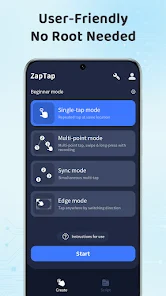
This Auto Clicker automates taps and swipes at any location with custom intervals. Ideal for app testing, form workflows, data processing, and any repetitive task requiring fast and precise actions.No root access is required either.
The most reliable auto clicker for iPhone, Android, Mac, Chromebook, free your hands.
 10M+Positive Reviews


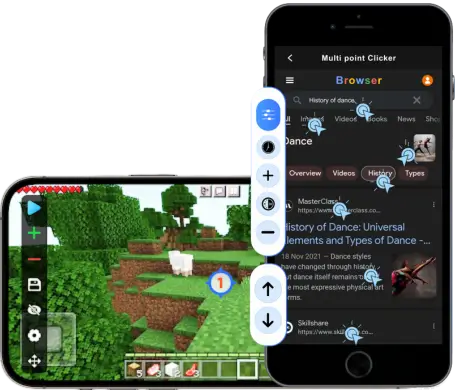
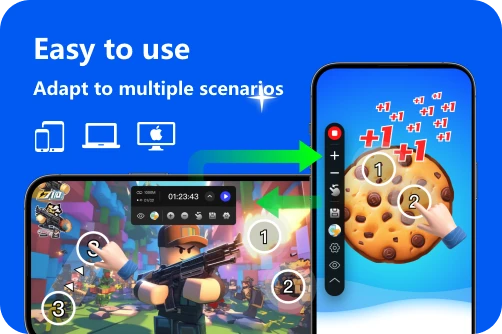
The minimalist interface design and clear operation steps do not require complicated tutorials. Even novices can start the program within 30 seconds and experience the fun of automatic clicking immediately.

Includes a variety of different click and slide modes, all of which support individually setting parameters, such as touch duration and number of repetitions, to adapt to different scenarios.
Multi-touch click mode: Supports multiple clicks and multiple slides.
Combination mode: Supports free combination of clicks, slides, multiple clicks, and long press operations.
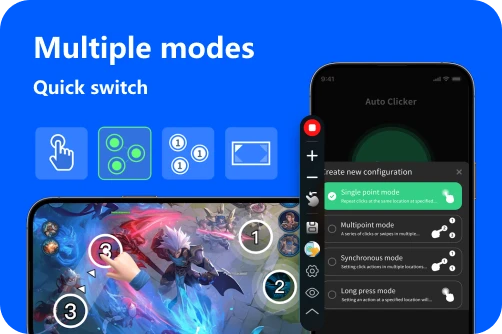

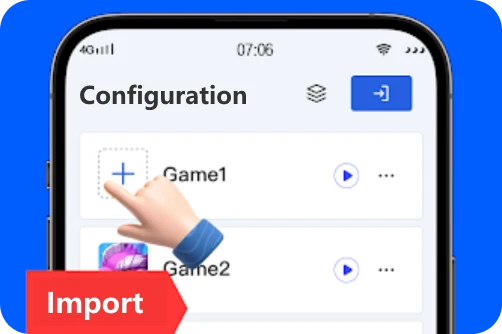
Save clicker parameter configurations for different usage scenarios, and these configurations support import and export. When you have too many configurations, using the one-click import and export function will greatly improve your experience.
There are many auto clickers on the market, but they may damage your system. The software provided on our website is the latest virus-free
ZapTap Auto Clicker is a legal application, neither a virus nor a unauthorized modification tool. You can use it with confidence. It just simulates your finger clicks, does not collect your privacy, and will not damage your phone or computer.

Every workflow in ZapTap is designed to be easier to start, faster to repeat, and safer to run across daily tasks, creator tools, and productivity scenarios.
An intuitive interface keeps setup friction low. You can install, launch, and start automating without dealing with complex root permissions.
Simulate rapid fingertip tapping with precision and cut out repetitive manual work, so your phone can handle the busywork for you.
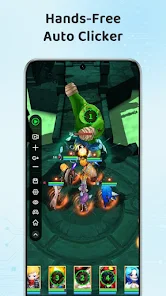
Record gestures and replay curved movement paths that closely mirror real touch behavior, making advanced actions feel smooth and believable.
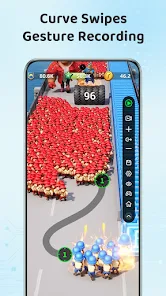
Go beyond single-point taps with multi-touch triggers, combined slides, and coordinated automation flows that can finish complex routines in one run.
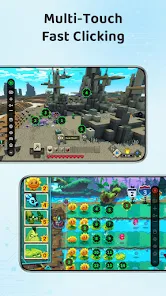
Keep your best automation setups ready to move. Share plans quickly and use cloud sync to carry efficient scripts across devices with less friction.

From auto-scroll to repeat swipes, ZapTap helps you stay hands-free for longer sessions and repetitive browsing without constant manual input.

Configure millisecond-precise click intervals for workflows that require exact timing, ideal for software testing, user interface automation, and data processing tasks.


Set continuous clicks with millisecond-level timing for software testing, data entry, form workflows, and other repeatable tasks.

Multiple click points can be set efficiently in a short time. Recordings can also be saved for future reuse.

Official software with no viruses. It simulates standard input actions to help users efficiently complete repetitive work.

ZapTap Auto Clicker is your go-to automated tapping and clicking tool designed to save you time, boost your productivity, and make repetitive tasks easier. Whether you are filling out long forms, testing software, or processing repetitive workflows, ZapTap Auto Clicker handles repeated input so you can focus on what matters.
Here’s what ZapTap Auto Clicker can do for you:
•Fully Automated Clicking:Configure single or double clicks at any interval you choose—down to milliseconds.
•Smart Click Profiles:Save multiple click-patterns (locations, intervals, repeat counts) and switch between them in one click.
•Easy Setup & Calibration:Point-and-click to select exact screen coordinates, or let our on-screen cursor tracker follow your mouse movements automatically.
•Flexible Scheduling:Run clicks continuously, for a set number of repetitions, or on a precise timer—ideal for overnight tasks or timed events.
•Lightweight & Stable:Uses minimal system resources so it never interrupts your workflow or slows down your computer.
•Safe & Secure:No intrusive permissions, no hidden fees—just pure, reliable automation you control.
Ready to stop staring at your screen and start getting more done? Download ZapTap Auto Clicker now and discover just how effortless repetitive tasks can be!
Why use an Auto Clicker? Because ZapTap Auto Clicker turns tedious, repetitive clicking into a fully automated process—saving you countless hours and freeing you up to focus on what really matters.
By automating repeated clicks with millisecond precision, you can move through long forms, data-entry tasks, UI checks, and scheduled workflows without straining your wrist or burning out.
Customize click intervals, choose single or double clicks, and pinpoint exact screen coordinates—all with a few simple clicks. Save multiple profiles and switch between them instantly.
Schedule your automation to run continuously, for a set number of repetitions, or on a precise timer—ideal for overnight processes, software testing, or time-sensitive events.
Designed to be lightweight and stable, ZapTap Auto Clicker uses minimal system resources so it never interrupts your workflow or slows down your PC.
No hidden fees, no extra permissions—just reliable, safe automation you fully control. Stop staring at your screen and start getting more done today!
ZapTap Auto Clicker is completely free of viruses or malware when obtained from our official sources. It has been verified by multiple app‐security services, runs without requiring dangerous permissions, keep your device safe.You can use it with confidence. It just simulates your finger clicks, will not collect your privacy, and will not damage your phone or computer.
Auto-clickers are general automation tools and are not inherently illegal software. However, each app, website, or platform may set its own rules for automated input. Before using any automation tool, review the relevant terms of service and use it only in allowed, responsible scenarios.
No matter what operating system and device you use, the best auto clicker must be ZapTap Auto Clicker. It is fast, virus-free, supports multi-click mode, and does not consume battery.
Policies vary by platform. Some services allow limited automation for accessibility, testing, or personal workflows, while others restrict automated input in their terms of service.
Before using ZapTap Auto Clicker with any third-party app or platform, read the platform rules, avoid disruptive or unfair use, and keep automation within scenarios that are clearly permitted.